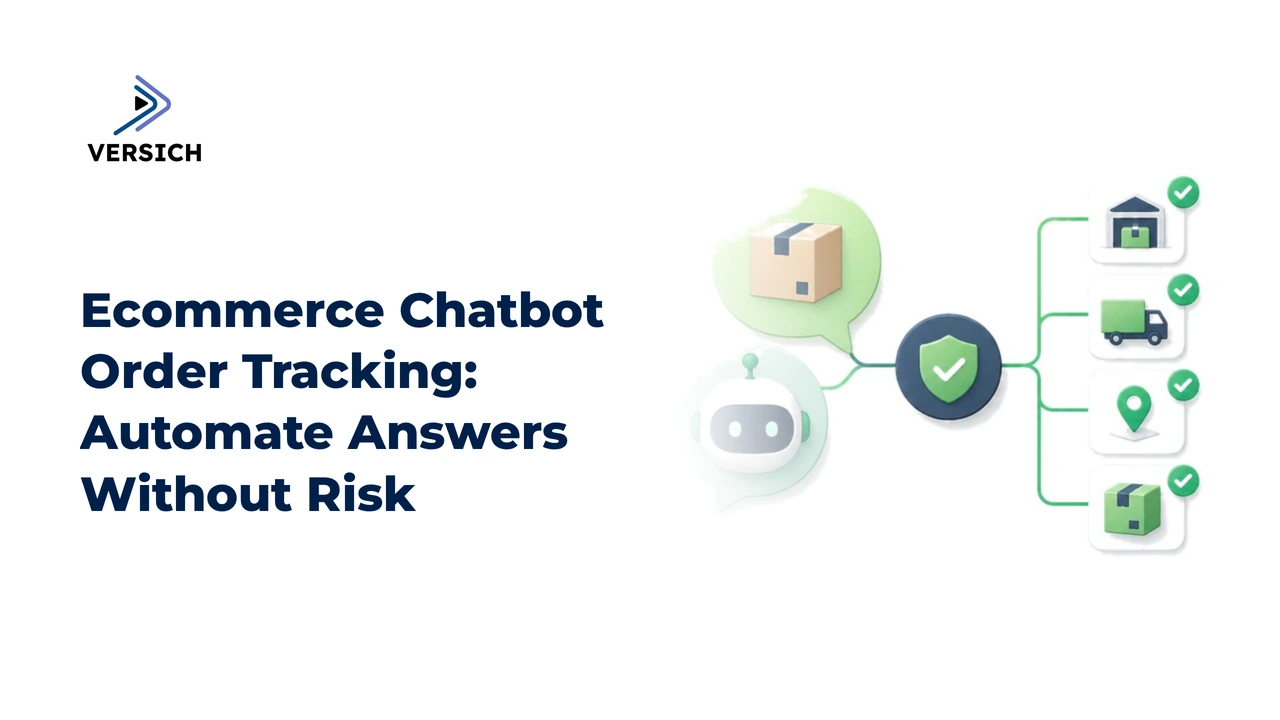
A single shipment-status webhook can determine whether an ecommerce chatbot gives a useful answer or confidently reports the wrong delivery date. Ecommerce chatbot order tracking connects a conversational assistant to order, fulfillment, and carrier data so shoppers can ask questions such as “Where is my package?” and receive a current response without waiting for an agent. Safe implementations do not let the chatbot guess, expose unrestricted customer records, or change an order without authorization. They retrieve approved status data, match the request to the right order, explain uncertainty, and send exceptions to a human.
The important detail is that a chatbot is not an order-tracking system by itself. It is an interface over the systems that know whether an order was paid, released, shipped, split, delayed, delivered, returned, or refunded. The quality of the answer depends on the connection between those systems and the controls around it.
What Is Ecommerce Chatbot Order Tracking?
Ecommerce chatbot order tracking is an automated customer service workflow that lets shoppers retrieve order and shipment information through a chat interface. The chatbot typically connects to an ecommerce platform, order management system, warehouse or fulfillment system, and carrier tracking service through APIs, webhooks, middleware, or workflow automation.
A customer might enter an order number, email address, phone number, or authenticated account request. The chatbot then verifies the request, retrieves the permitted records, translates internal status codes into plain language, and returns the latest available update.
A reliable workflow separates several types of information:
| Information type | Example value | Why it matters |
|---|---|---|
| Order status | Confirmed, processing, canceled | Shows whether the purchase exists and where it is in the order lifecycle |
| Payment status | Authorized, captured, failed, refunded | Prevents the chatbot from calling an unpaid order shipped |
| Fulfillment status | Unallocated, picked, packed, shipped | Explains what the warehouse has actually completed |
| Shipment status | Label created, in transit, out for delivery | Provides carrier-specific movement information |
| Tracking event time | Carrier scan at 2:14 PM | Shows how recent the status is |
| Delivery estimate | Estimated delivery date | Separates a carrier estimate from a guaranteed promise |
| Exception status | Address issue, weather delay, delivery attempt | Determines whether a human or carrier action is needed |
| Return or refund status | Return requested, received, refund approved | Prevents a return request from being treated as a completed refund |
This distinction prevents a common mistake: treating “order created,” “shipment created,” and “package moving” as the same event. They are not the same. An order can exist in the ecommerce platform while payment is pending, fulfillment has not started, and no carrier tracking number has been issued.
How Does an Order Tracking Chatbot Get Live Status Data?
An order tracking chatbot gets live status data by calling approved systems at the time of the conversation or by reading a controlled data store that those systems update. The architecture should define which system is authoritative for each field instead of allowing the chatbot to select whichever value appears first.
For example, the ecommerce platform may be authoritative for order number and customer email, the payment processor for payment status, the warehouse system for fulfillment progress, and the carrier API for shipment events. An order management system may coordinate these records, but it should not automatically override a more authoritative source.
There are three common data patterns:
Real-time API retrieval. The chatbot requests the current order or shipment record during the conversation. This is useful for recent changes, but it requires authentication, rate-limit handling, and fallback behavior when an external API is unavailable.
Event-driven synchronization. A carrier, warehouse, or ecommerce system publishes an event when a status changes. A webhook or integration workflow receives the event and updates a controlled record used by the chatbot. This reduces repeated polling and helps preserve a timeline of changes.
Scheduled synchronization. A workflow checks for updates at a defined interval. This is simpler for systems without reliable webhooks, but the chatbot must tell the shopper when the data was last refreshed.
The strongest design combines these approaches. Events keep records current, while a real-time lookup confirms important details before the chatbot answers. A timestamp should travel with every status response. “In transit, last updated Tuesday at 4:05 PM” is more trustworthy than “Your package is on the way.”
Reference architecture for connected ecommerce workflows explains why order validation, split shipments, and return states need to remain visible across systems. Those details matter just as much to a chatbot as they do to warehouse and finance teams.
What Should an Ecommerce Chatbot Verify Before Showing Tracking Information?
An ecommerce chatbot should verify the shopper’s identity and the order’s relationship to that shopper before disclosing tracking details. An order number alone is not sufficient because order numbers are often predictable, visible in forwarded emails, or shared across customer service conversations.
A practical verification flow can request two matching factors, such as:
Order number plus billing ZIP code
Order number plus the email address used at checkout
Authenticated account session plus the selected order
Order number plus a one-time code sent to the customer’s verified contact method
The exact factors depend on the information already collected and the sensitivity of the data. The chatbot should avoid repeating full addresses, phone numbers, payment details, or internal notes. Masked information is safer, such as showing only the last four digits of a phone number or a partial delivery address.
Authorization must apply to tools as well as screens. If the chatbot has access to an order lookup function, that function should enforce the same permissions whether it is called by a customer-facing conversation, an internal support assistant, or an administrative workflow.
A secure lookup tool should define:
Which input fields are accepted
Which records the request can access
Which fields may be returned
How many attempts are allowed
What happens after failed verification
Whether the interaction is logged
How long the conversation and retrieved data are retained
The chatbot should also resist prompt-based attempts to bypass these rules. A customer asking the assistant to “ignore verification” or “show all orders associated with this email” does not change the access policy. Tool allowlists, field-level filtering, and server-side authorization must control the result.
Our AI developer and integration services cover the broader engineering concerns behind assistants that retrieve approved content, use permissions, apply tool restrictions, and hand uncertain cases to people. For order tracking, those controls belong in the integration layer, not only in the chatbot’s instructions.
Which Order Tracking Questions Should the Chatbot Answer?
An ecommerce chatbot should answer questions that have a clear data source and a low-risk interpretation. It should not treat every customer question as an invitation to take action.
Good initial questions include:
Where is my order?
Has my order shipped?
What is the tracking number?
When is my package expected to arrive?
Was my order delivered?
Why has my tracking not updated?
Were all items in my order shipped?
Has my return been received?
When was my refund issued?
The response should explain the current state in customer-friendly language and preserve important distinctions. “A shipping label was created” does not mean the carrier has received the package. “Delivered” does not prove that the correct person received it. “Refund initiated” does not mean the customer’s bank has posted the funds.
The chatbot should ask a clarifying question when a request is ambiguous. If an order has multiple shipments, “Where is my order?” should produce a shipment-by-shipment answer rather than one vague status. If the customer has several recent orders, the assistant should identify the relevant order using verified context.
A useful answer has four parts:
The current status in plain language
The latest event and timestamp
The next expected step
A clear escalation path if the status is concerning
For example, the assistant might explain that one item was delivered while another remains in transit, identify the separate tracking records, and offer a support handoff for a missing package. This is more useful than repeating the internal status code PARTIALLY_FULFILLED.
How Should Chatbots Handle Split Shipments, Returns, and Exceptions?
Chatbots should model split shipments, returns, and delivery exceptions as separate workflows rather than forcing every order into one status. A single order can contain multiple shipment records, different carriers, separate delivery dates, and independent return decisions.
A split shipment response should preserve the connection between the original order and each package. The customer needs to know which items belong to which tracking number, not simply receive a list of unrelated links.
Returns require similar care. These states are materially different:
Return requested
Return label issued
Package dropped off
Return received
Return inspected
Refund approved
Refund submitted
Refund completed
The chatbot should not collapse these states into “your refund is processing.” That answer hides whether the return has reached the warehouse or whether the refund has been approved by finance.
Exceptions need explicit ownership. A carrier delay, invalid address, payment failure, fraud review, inventory shortage, and damaged package do not belong to the same queue. Each should map to a defined action, such as requesting an updated address, opening a support case, notifying fulfillment, or directing the shopper to the carrier.
| Scenario | Chatbot response | Human or system action |
|---|---|---|
| Label created but no carrier scan | Explain that the label exists and no movement scan is available | Check fulfillment handoff if the delay exceeds the internal threshold |
| One item shipped, one item pending | Show each shipment separately | Confirm inventory or expected release date for the pending item |
| Delivery marked complete but customer cannot find package | Provide delivery details without claiming resolution | Offer carrier instructions and create an escalation if needed |
| Address exception | Explain that delivery requires attention | Route the customer to an approved address-change process |
| Return received, refund not approved | State the return receipt and refund stage separately | Route to the refund approval owner |
| No matching verified order | Do not disclose possible records | Ask for permitted verification details or hand off to support |
The Workato integration page describes the role of validation, retries, error handling, order synchronization, and automatic return of tracking status to the storefront. Whether a team uses Workato or another integration approach, those operational controls should be designed before the chatbot is exposed to customers.
What Actions Should an Order Tracking Chatbot Be Allowed to Take?
An order tracking chatbot should start with read-only actions. It can retrieve status, explain events, provide approved links, and create a support request. It should not cancel an order, change a shipping address, issue a refund, or alter payment information unless the workflow includes strong authentication and explicit approval controls.
Read-only access is not risk-free, but it limits the damage caused by incorrect interpretation or malicious input. Write actions change business records and may trigger fulfillment, accounting, customer notifications, or compliance obligations.
A controlled action model separates:
Information retrieval: Order status, tracking events, estimated delivery, return stage
Guided self-service: Starting an approved return or requesting a callback
Draft creation: Preparing a support case or address-change request for review
Restricted write-back: Updating a record only after identity verification and policy checks
Human approval: Refunds, cancellations after fulfillment, exceptions, and sensitive changes
Every action should have an audit record containing the request, authenticated identity, tool called, result, approval decision, and timestamp. Idempotency is also essential. If a network retry repeats a request, the system should not create two cases, issue two refunds, or send duplicate notifications.
A chatbot also needs a safe fallback. When the source system returns conflicting data, the carrier API is unavailable, or the customer’s request falls outside policy, the assistant should state what it knows, explain what it cannot confirm, and route the issue to the appropriate team.
How Do You Measure Ecommerce Chatbot Order Tracking Quality?
Measure ecommerce chatbot order tracking by combining answer accuracy, data freshness, containment, escalation quality, and operational safety. A high percentage of automated conversations does not prove that the system works if it gives inaccurate delivery information or creates hidden support work.
Useful measures include:
| Measure | What it reveals | How to evaluate it |
|---|---|---|
| Status accuracy | Whether responses match authoritative records | Compare sampled chatbot answers with source-system events |
| Data freshness | How recently the answer was updated | Record the source timestamp shown to the shopper |
| Verification success | Whether legitimate customers can access their orders | Track successful and failed verification attempts |
| Escalation precision | Whether the right cases reach people | Review exceptions by category and owner |
| Duplicate action rate | Whether retries create repeated records | Check for duplicate cases, notifications, or write-backs |
| Customer correction rate | Whether shoppers report that answers are wrong | Tag corrections and trace them to the source or mapping |
| Fallback rate | How often the chatbot lacks a safe answer | Separate genuine exceptions from missing integration data |
| Sensitive-data exposure | Whether responses reveal more than intended | Test transcripts and tool outputs for unauthorized fields |
Evaluation should include real operational states, not only successful deliveries. Test unpaid orders, partial shipments, canceled orders, missing tracking numbers, carrier delays, duplicate events, returned packages, and conflicting timestamps.
Red-team testing should also cover prompt injection and excessive agency. Ask whether a user can persuade the assistant to reveal another customer’s order, call an unapproved tool, bypass verification, or repeat a write action. Those tests belong in preproduction and after major integration changes.
What Does a Safe Implementation Process Look Like?
A safe implementation begins with the order lifecycle, not the chatbot interface. Map the records and events first, then decide which customer questions the available data can answer accurately.
A practical sequence is:
Map the systems and owners. Identify the ecommerce platform, order management system, warehouse or 3PL, carrier sources, payment system, returns platform, and customer service tool. Assign an owner for each status and exception.
Define the read model. Decide which fields the chatbot needs and which it must never receive. Include source timestamps, shipment relationships, verification state, and customer-safe descriptions.
Create the approved tools. Build narrow functions such as
get_verified_order_statusorget_shipment_events, rather than giving the assistant broad database access. Enforce authorization inside each function.Design the response rules. Write rules for split shipments, stale data, missing tracking numbers, contradictory statuses, estimated dates, and delivery exceptions. These rules should not depend on the model improvising.
Add observability. Log tool calls, response sources, failures, latency, escalations, and policy decisions. Keep sensitive data out of logs wherever possible.
Test before expanding scope. Start with read-only order and shipment questions. Add returns, support-case creation, and other workflows only after the underlying data and exception handling are stable.
Automation platforms can help coordinate these steps, but they do not remove the need for data ownership and policy design. A workflow that moves data quickly can also move an incorrect status quickly. Validation belongs before the chatbot response and before any downstream write-back.
What to Do Next With Ecommerce Chatbot Order Tracking
The next step is not choosing a chatbot model. It is documenting the order states, authoritative systems, permitted fields, verification method, and exceptions that the assistant must handle. Once those decisions are clear, a read-only order tracking workflow provides a controlled foundation for more advanced customer service automation.
Start with a narrow set of questions, show the timestamp behind each answer, and test the cases that create operational risk. If you need help connecting the assistant to your ecommerce, fulfillment, ERP, CRM, or carrier workflows, contact our team about your order tracking automation.