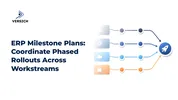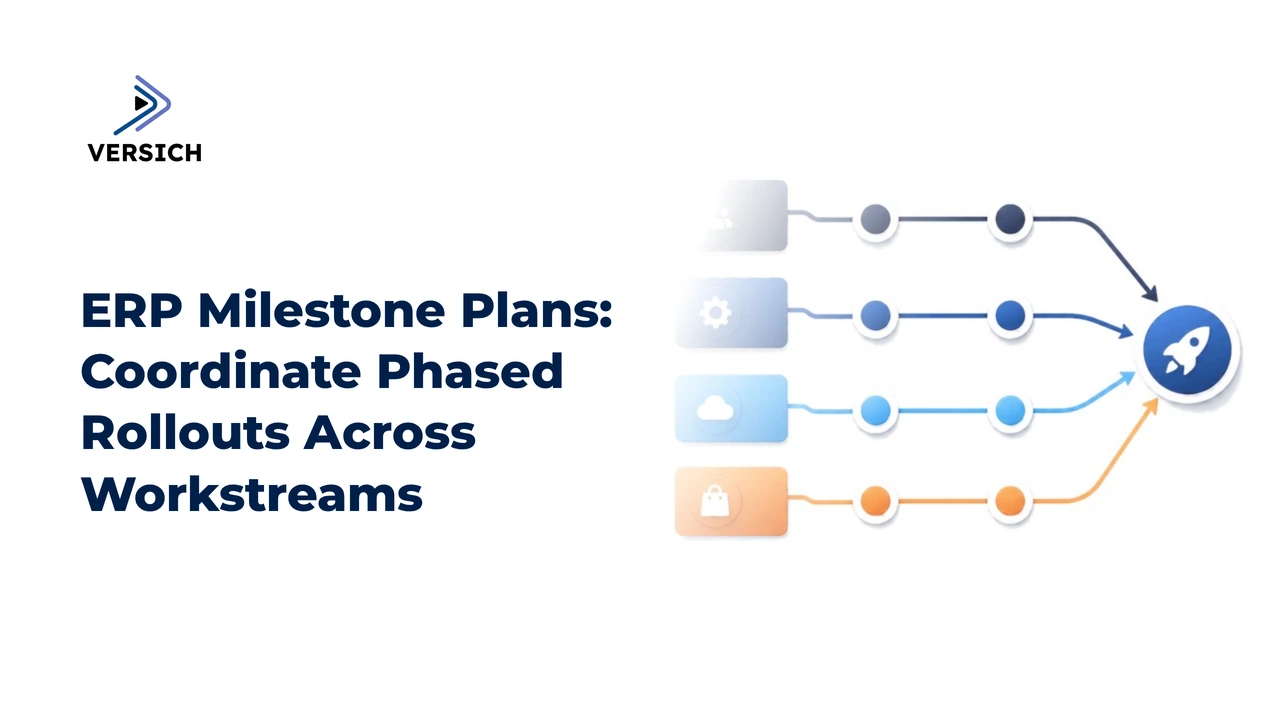
Picture a team preparing an ERP rollout across finance, supply chain, sales, data migration, integrations, and training. Each group has its own schedule, but the rollout succeeds only when their work connects in the right order. A finance design decision affects reporting and opening balances. A data migration delay affects testing. An unfinished integration affects user acceptance testing and cutover. ERP milestone plans create the shared structure that connects those workstreams, defines decision points, and shows whether the organization is ready to move from one phase to the next.
An ERP milestone plan is a coordinated schedule of major deliverables, dependencies, approval points, and readiness criteria for an enterprise resource planning rollout. It is more than a list of dates. A useful plan explains what must be completed, who owns it, what other work depends on it, what evidence proves completion, and what happens if the milestone slips.
Phased ERP rollouts need this level of coordination because separate workstreams rarely progress at the same speed. The plan gives executives a clear view of progress while giving project teams enough detail to manage configuration, integrations, data, testing, change management, and deployment without treating every task as equally important.
What Should an ERP Milestone Plan Include?
An ERP milestone plan should include business outcomes, workstream deliverables, dependencies, decision gates, named owners, entry and exit criteria, and escalation paths. It should connect the high-level ERP roadmap to the activities required to design, build, test, train, and deploy each phase.
The plan should begin with the rollout model. A business might phase implementation by legal entity, geography, business unit, process, product line, or system capability. Each approach changes the milestones and dependencies. An entity-based rollout requires attention to local accounting, tax, banking, and statutory reporting. A process-based rollout might establish financial controls before expanding into order management, inventory, procurement, or project accounting.
A milestone is not the same as a task. “Configure accounts payable” describes work. “Accounts payable design approved” describes a milestone because it marks a decision that allows dependent work to proceed.
A practical milestone record includes:
Milestone name: A clear outcome, such as “opening balance conversion approved.”
Owner: One accountable person, not an entire department.
Due date: The date by which the outcome must be complete.
Dependencies: Upstream decisions, data, environments, or deliverables.
Entry criteria: What must be true before the work begins.
Exit criteria: The evidence required to mark the milestone complete.
Status: A defined status such as not started, in progress, at risk, blocked, or complete.
Decision or escalation path: The person or governance group that resolves an issue.
The distinction between completion and readiness matters. A team can complete a configuration task while the business remains unprepared to use it. Milestones should therefore capture both technical completion and business acceptance.
For example, “customer master configured” might require configuration evidence, sample records, validation rules, duplicate handling, and sign-off from the business process owner. Without those checks, a green status can hide a problem that appears later during testing.
How Do You Structure Milestones Across ERP Workstreams?
The strongest structure uses a common phase model across all workstreams, then maps detailed deliverables underneath each phase. This keeps the plan readable without losing the information needed for execution.
Most ERP programs need milestones across the following workstreams:
| Workstream | Typical milestone | Key dependency | Evidence of completion |
|---|---|---|---|
| Program governance | Scope and decision rights approved | Executive sponsorship | Approved charter, RACI, and governance calendar |
| Finance | Chart of accounts and accounting structure approved | Future-state process design | Signed design document and unresolved issue log |
| Data migration | Mock conversion accepted | Source data profiling and mapping | Reconciled conversion results and business sign-off |
| Integrations | Interface design approved | Process design and source system ownership | Interface specifications, error handling rules, and test cases |
| Configuration | Core configuration complete | Approved future-state design | Configuration review and traceability to requirements |
| Testing | Integration test exit criteria met | Stable configuration, data, and interfaces | Test results, defect disposition, and retest evidence |
| Change management | Role-based training released | Confirmed workflows and user roles | Training materials, attendance plan, and support model |
| Cutover | Go-live readiness approved | Successful testing, migration rehearsal, and support coverage | Readiness checklist and go or no-go decision |
This structure exposes cross-workstream dependencies. For instance, the integration team should not finalize interface testing against unstable business processes. The training team should not publish final procedures while the approval workflow remains undecided. The data team should not treat a successful file load as complete if balances, open transactions, and master data have not been reconciled.
A RACI matrix helps clarify who is responsible, accountable, consulted, and informed for each major milestone. The project manager may coordinate the work, but the finance process owner should remain accountable for finance design acceptance. Clear accountability prevents a common failure mode in which everyone participates but no one has authority to approve.
Our ERP roadmap planning guidance provides a useful way to connect assessment, foundation work, delivery, stabilization, and reprioritization. The exact phases in an ERP milestone plan should reflect the organization’s scope and rollout strategy rather than copy a generic template.
What Is the Right Sequence for a Phased ERP Rollout?
The right sequence follows business dependencies and control points, not the order in which teams happen to start working. Finance foundations, data decisions, integration contracts, security roles, testing environments, and user readiness must converge before a phase can go live.
A practical sequence looks like this:
Mobilize and align: Confirm scope, governance, decision rights, business outcomes, and rollout boundaries.
Discover and design: Document current-state pain points, future-state processes, requirements, controls, and gaps.
Build the foundation: Establish the chart of accounts, entity structure, master data standards, security model, environments, and integration architecture.
Configure and develop: Build the ERP configuration, extensions, reports, workflows, integrations, and migration routines.
Validate: Execute unit, system integration, end-to-end, performance where relevant, and user acceptance testing.
Prepare the business: Complete training, role mapping, operating procedures, support readiness, and communications.
Rehearse and cut over: Run mock migration, validate reconciliation, confirm cutover tasks, and make the go or no-go decision.
Stabilize and transition: Monitor transactions, resolve defects, support users, measure adoption, and hand ownership to operational teams.
This sequence is not strictly linear. Iterative design and build cycles are expected. The important point is that milestones should distinguish work that can proceed in parallel from work that must wait.
For example, training content development can begin with draft workflows before configuration is final. Final training approval should wait until the relevant screens, roles, approval paths, and procedures are stable. Likewise, data cleansing can begin during discovery, but final conversion approval depends on confirmed mappings and a tested target structure.
A phased rollout also needs a clear rule for what remains in the legacy system. If one business unit moves first, the plan must document how transactions, reporting, master data, and intercompany activity work across the old and new environments. A phase is not isolated simply because its users go live first.
The NetSuite implementation roadmap illustrates how discovery, design, configuration, migration, testing, training, and validation fit together. The same planning logic applies across ERP platforms, even though the specific tasks differ.
How Do You Manage Dependencies Between Workstreams?
Manage dependencies by recording the relationship between deliverables, assigning an owner to each handoff, and defining what happens when the upstream work is late. A milestone plan should make dependencies visible before they become schedule surprises.
Dependencies generally fall into four groups:
Business dependencies: A future-state approval workflow depends on agreement about who approves which transaction.
Data dependencies: Opening balances depend on a defined chart of accounts, mapping rules, source data quality, and reconciliation procedures.
Technical dependencies: An integration test depends on available endpoints, credentials, interface specifications, test data, and error-handling behavior.
Organizational dependencies: Training and support readiness depend on confirmed roles, procedures, and ownership after go-live.
The plan should distinguish a hard dependency from a preferred sequence. A hard dependency prevents work from starting or completing. A preferred sequence improves efficiency but does not block progress. This distinction helps teams avoid unnecessary waiting while protecting important controls.
A dependency register should include the upstream milestone, downstream milestone, responsible owners, required date, current condition, and escalation threshold. A project manager can then ask a specific question: “What must be ready for integration testing to start, and who confirms each item?” That question is more useful than asking whether integration testing is on schedule.
Cross-workstream handoffs deserve special attention. A finance design may be technically approved but still lack the tax treatment needed for order-to-cash testing. A product master may be loaded but lack units of measure required by inventory transactions. A security role may exist but fail to support segregation-of-duties requirements.
For US operations, dependencies may include sales tax configuration, legal entity reporting, payment processing, banking formats, and audit controls. A multinational rollout adds country-specific requirements such as VAT or GST treatment, local invoicing, currency handling, and statutory reporting. These should be represented as explicit milestones, not hidden assumptions inside a general “localization complete” task.
How Do Stage Gates Improve ERP Milestone Governance?
Stage gates improve ERP governance by creating formal points where leaders review evidence, confirm risk, and decide whether the program should proceed, pause, or change scope. A gate is useful only when it has defined entry and exit criteria.
Typical gates include:
| Stage gate | Decision to make | Evidence to review | Common failure if skipped |
|---|---|---|---|
| Scope and design gate | Is the future state defined well enough to build? | Approved requirements, process maps, gap decisions | Configuration begins while major assumptions remain unresolved |
| Build completion gate | Is the solution stable enough for formal testing? | Configuration review, integration readiness, migrated test data | Testing starts against incomplete or changing components |
| Test exit gate | Are critical defects resolved or formally accepted? | Test results, defect severity, retest evidence | Users discover basic failures during training or cutover |
| Business readiness gate | Can users operate the new process? | Training, procedures, roles, support plan, communications | Technical readiness is mistaken for organizational readiness |
| Go-live gate | Is the organization prepared to cut over safely? | Rehearsal results, reconciliation, cutover checklist, contingency plan | Cutover begins without proven timing or recovery steps |
| Stabilization exit gate | Can operational ownership transfer? | Open issue trend, support metrics, ownership confirmation | The implementation team remains an informal support desk |
Stage gates should not become ceremonial meetings. The decision package should be short enough to review and specific enough to challenge. It should show milestone status, unresolved risks, critical defects, dependency exceptions, budget or scope impacts, and the recommendation from the program leadership team.
A gate can also authorize a controlled exception. For example, a noncritical report defect might remain open if the business has a documented workaround and an approved remediation date. A failed reconciliation of opening balances should not receive the same treatment. Severity, business impact, control implications, and recovery options must guide the decision.
A RAID log, covering risks, assumptions, issues, and dependencies, gives governance meetings a consistent record. It also prevents assumptions from disappearing into meeting notes without an owner or review date.
How Should You Track Milestone Health?
Track milestone health with definitions that are consistent across workstreams. A green, yellow, or red status is useful only when teams know what each color means and when status changes trigger action.
A strong status model might use these rules:
Green: The milestone is expected to meet its date, dependencies are available, and no unresolved issue threatens the exit criteria.
Yellow: The date remains achievable, but a dependency, decision, resource constraint, or defect needs active management.
Red: The milestone will miss its date or exit criteria without an approved recovery action, scope change, or decision.
Blocked: Work cannot proceed because a required input or decision is unavailable.
Complete: The exit criteria are met and the accountable owner has accepted the evidence.
Do not define “complete” as “the team finished its activity.” Define it as “the expected outcome is verified.” This prevents partially configured workflows, untested integrations, and unreconciled data from appearing complete.
Useful measures include milestone variance, dependency age, open critical defects, test pass and retest status, data reconciliation exceptions, training completion, decision turnaround time, and the number of overdue actions. These measures do not replace judgment, but they make emerging risks easier to see.
A dashboard can help executives view the portfolio while workstream leads retain detailed task management. The dashboard should not flatten every issue into one percentage. A rollout that is 90% complete can still be unready if the remaining 10% includes cutover rehearsal, security approval, or opening balance reconciliation.
Our milestone progress dashboard resource discusses how teams can surface milestone status, phase progress, overdue work, and workload patterns across projects. The broader lesson is to design reporting around decisions, not just activity counts.
What Belongs in Each ERP Rollout Phase?
Each phase needs a defined purpose, a limited set of outcomes, and a clear handoff to the next phase. The following framework helps translate a broad ERP program into manageable milestone groups.
Mobilization and discovery should establish the business case, scope, governance, current-state processes, major pain points, data sources, integration landscape, and decision calendar. Its exit criteria should include an approved scope boundary, project team, initial risk register, and prioritized requirements.
Design should define future-state processes, controls, roles, reporting needs, data ownership, integration behavior, and gaps. Its exit criteria should confirm that the business understands the proposed operating model and has made decisions that affect configuration or development.
Build should produce configured processes, integrations, reports, workflows, security roles, migration routines, and test scenarios. Build completion does not mean the system is ready for production. It means the solution is ready for structured validation.
Testing and validation should prove that the solution works at multiple levels. Unit testing checks individual components. System integration testing checks connected processes and systems. End-to-end testing follows a complete business scenario, such as quote to cash or procure to pay. User acceptance testing confirms that business users can complete their responsibilities using realistic data and procedures.
Readiness and deployment should cover training, communications, support, cutover planning, migration rehearsal, reconciliation, access, integrations, and contingency procedures. The go-live milestone should require an explicit decision, not an implied assumption that the date has arrived.
Stabilization should track production issues, user questions, control performance, data quality, reporting accuracy, and unresolved defects. The exit milestone should transfer ownership to the operational support model and identify improvements for later phases.
For organizations evaluating implementation support, our NetSuite implementation services page explains how phased delivery and governance help control scope, dependencies, integrations, and readiness. The planning principles are relevant even when the ERP platform or rollout model differs.
How Do You Coordinate Multiple ERP Rollout Waves?
Coordinate multiple rollout waves by defining what is standardized across the program and what is allowed to vary by entity, region, business unit, or process. Each wave should have its own milestones while remaining connected to the shared template, governance model, data standards, and integration architecture.
A wave plan should answer five practical questions:
What capabilities are included in this wave?
Which capabilities remain in the legacy environment?
Which shared components must be ready before the wave starts?
What local variations require additional design, testing, or approval?
What lessons from the prior wave will change the next wave?
The first wave often establishes the template for later waves, but the template should not become a reason to ignore local requirements. A US entity may need one set of tax and banking considerations, while a Canadian entity, UK entity, or Indian entity may require different local reporting and indirect tax treatment. Standardization should protect the core design while allowing documented, governed variation.
Each wave needs a separate readiness assessment. A previous successful go-live does not prove that the next entity has clean data, trained users, available support, or valid local requirements. Reusing the structure is efficient. Reusing assumptions without validation is risky.
The milestone plan should also show shared services that could become bottlenecks. A central integration team, data conversion team, security team, or business process owner may support several waves at once. Capacity constraints need to appear as dependencies rather than emerge as late schedule complaints.
How Much Do ERP Milestone Plans Cost to Create?
The cost of creating an ERP milestone plan depends on the rollout scope, number of workstreams, number of waves, quality of existing project documentation, and depth of dependency analysis. A simple plan for a controlled rollout takes less effort than an integrated plan covering multiple entities, countries, legacy systems, and business units.
Planning effort typically includes workshops, process and dependency analysis, workstream decomposition, governance design, risk review, milestone definition, reporting setup, and stakeholder validation. The plan also requires ongoing maintenance as scope, decisions, risks, and dates change.
Do not evaluate the plan only by the time required to produce the first version. A weak plan is inexpensive to write but expensive to operate because it creates unclear ownership, missed handoffs, late decisions, and unreliable status reports. A useful plan reduces ambiguity by making the work visible at the level where leaders can act.
Budgeting should distinguish planning from execution. Milestone design does not replace configuration, data migration, integration development, testing, training, or deployment work. It coordinates those activities so the organization can make better decisions about sequence, resources, and readiness.
Conclusion: The Core Value of ERP Milestone Plans
The core value of ERP milestone plans is not the calendar. It is the shared logic behind the calendar.
A strong plan shows how finance decisions affect data and reporting, how integrations depend on stable processes, how testing depends on usable configuration and realistic data, and how technical completion differs from business readiness. It gives each workstream clear ownership while giving program leaders a reliable basis for stage-gate decisions.
If you remember one principle, make it this: a milestone is complete only when its outcome is verified and the next dependent work can proceed with confidence. That standard turns a phased rollout from a collection of parallel schedules into a coordinated operating plan. When your organization is ready to review its ERP rollout structure, contact our team to discuss the planning and implementation support that fits your situation.