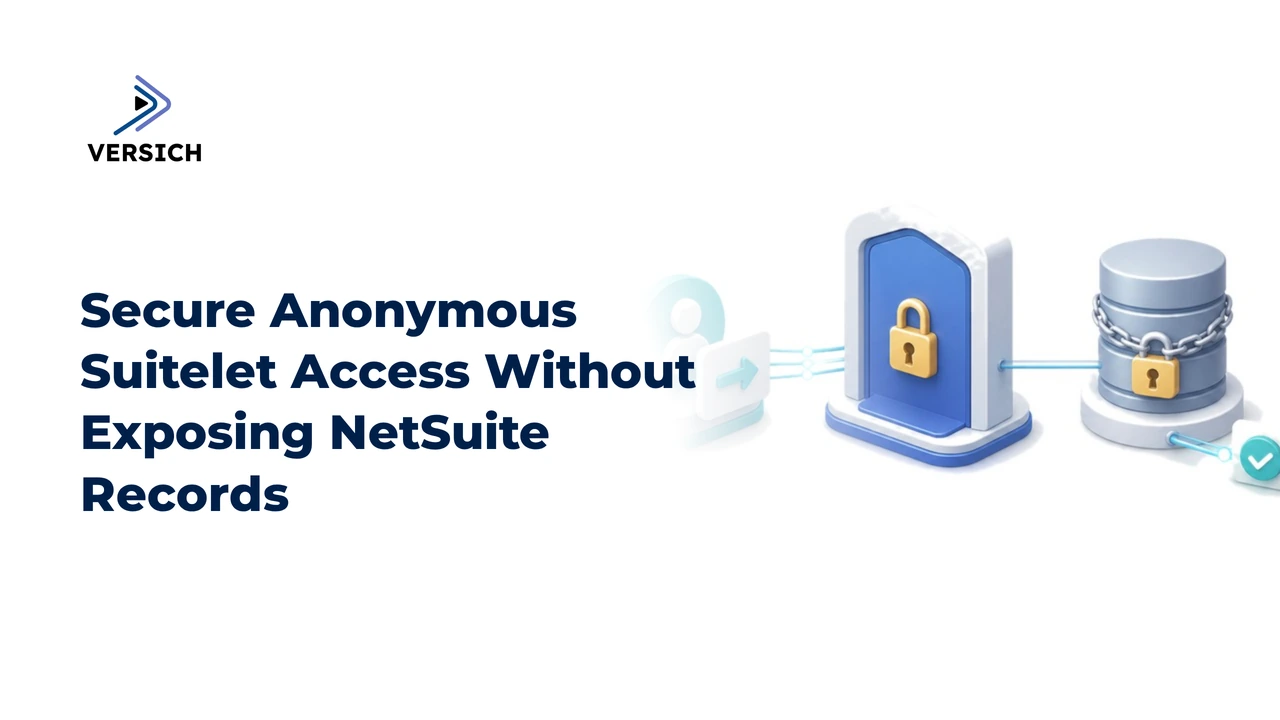
A common assumption is that checking Available Without Login makes a NetSuite Suitelet suitable for public use. It does not. Anonymous Suitelet access removes the reliable user identity that NetSuite roles and permissions depend on, so a secure design must treat every request as untrusted, expose only the minimum required function, and prevent direct record retrieval through manipulated parameters. A safer Suitelet uses server-side validation, a narrowly privileged execution role, controlled inputs, non-sensitive responses, rate and abuse protections where appropriate, and an authentication method whenever the workflow needs to identify a person or organization.
That distinction matters because a Suitelet is not automatically a secure public API. It is a server-side NetSuite script that can render a page, process a request, and interact with NetSuite records. If its deployment, execution role, search logic, or response handling is too broad, an anonymous URL can become an alternate path into sensitive data.
What Does Anonymous Suitelet Access Actually Mean?
Anonymous Suitelet access means a person can reach a Suitelet URL without signing in to a NetSuite account. In NetSuite, this behavior is associated with the Available Without Login deployment setting. The setting is useful for narrowly defined public workflows, but it also changes the security model: the request does not arrive with a normal authenticated NetSuite user whose role, subsidiary, permissions, and identity can be evaluated.
A public Suitelet should therefore be treated as an unauthenticated endpoint, not as a normal NetSuite form with a different layout.
The distinction between authentication and authorization is essential:
Authentication answers, “Who is making this request?”
Authorization answers, “What is this requester allowed to do?”
An anonymous request provides no dependable person-level identity.
Without identity, user-specific record permissions cannot provide the full protection you might expect.
The Suitelet must either expose a deliberately public function or introduce another trusted authentication mechanism before handling sensitive operations.
A public contact form that creates a low-risk record is a different security problem from a public endpoint that displays customer balances, employee information, vendor records, inventory availability, or transaction details. The interface may look simple in both cases. The underlying risk is not the same.
A secure design starts by defining the exact business action. “Allow customers to check order status” is not precise enough. The design should state which input identifies the order, what evidence the requester must provide, which fields may appear in the response, how many attempts are allowed, and what happens when the information does not match.
Why Available Without Login Is Not a Security Control
The Available Without Login option controls whether a user must authenticate to reach the deployment. It does not determine which records the user should see, whether request parameters are trustworthy, or whether the response contains sensitive fields.
A Suitelet that accepts a recordId query parameter and loads that record without further validation creates a direct object reference problem. A requester can change the parameter, try sequential IDs, or submit an identifier associated with another customer. Internal IDs are not secrets, and obscuring them in the browser does not create authorization.
The same issue appears in searches. A Suitelet that receives a customer number and uses it in a search must verify that the submitted value is valid for the intended workflow. Search filters should be constructed deliberately, and returned columns should be limited to the fields the requester needs. Returning an entire record object, serialized JSON payload, or broad saved search result creates unnecessary exposure.
The deployment setting also does not protect the Suitelet from automated requests. A public URL can be discovered, copied, submitted repeatedly, or called by a script rather than a browser. A visible form is not evidence that requests originated from the expected audience.
A practical security review should ask:
What happens when the URL is opened without any parameters?
What happens when every parameter is blank, malformed, duplicated, or unexpectedly long?
Can a requester alter an ID and retrieve another record?
Does the Suitelet reveal whether a record exists?
Does the response include fields that the page does not visibly display?
Does the execution role have access beyond the intended record type and operation?
Can a requester repeat the operation rapidly or submit it concurrently?
Are errors exposing internal IDs, field names, stack traces, or script details?
The answers should be tested on a sandbox deployment before production release.
How Should a Public Suitelet Handle NetSuite Records?
A public Suitelet should avoid exposing raw NetSuite records whenever the business requirement can be met with a narrowly shaped response. The script should retrieve only the information needed for the transaction, validate the request on the server, and return a deliberately selected result.
For example, a public order-status workflow might return a status label and an estimated next action. It does not need to return every transaction field, customer address, internal note, payment detail, or related record. Data minimization is not only a privacy principle. It reduces the amount of information an attacker can use to test whether the endpoint is working.
The record access pattern should also match the operation:
Use a targeted search when a small set of fields is sufficient.
Load a record only when the workflow requires record-level processing.
Avoid unrestricted searches and broad result sets.
Apply filters for record type, expected relationship, status, and any other business constraint.
Limit returned columns to the response contract.
Do not use a user-supplied record type, field ID, search ID, or script parameter as an unchecked instruction.
Keep internal notes, authentication values, tokens, and administrative fields out of public responses.
A Suitelet that writes data needs even stronger controls. The script should validate required fields, enforce acceptable values, prevent duplicate submissions, and confirm that the requested operation is allowed for an unauthenticated workflow. A public endpoint should not become a general-purpose record creation or update mechanism merely because the script can call record.create() or record.submitFields().
The server must remain the authority. Client-side validation improves usability, but a requester can bypass browser code and send a crafted HTTP request directly. This principle also applies to hidden fields, disabled controls, page-specific JavaScript, and values placed in the URL.
Our guidance on NetSuite employee portal access design covers the broader pattern of validating identity, role, entity, ownership, operation, and workflow state. Anonymous Suitelets require an even stricter approach because identity is absent unless another authentication layer is introduced.
Anonymous Suitelet Access Versus Authenticated Suitelet Access
Anonymous and authenticated Suitelets serve different purposes. The right choice depends on whether the workflow needs to identify the requester or protect information tied to a person, account, subsidiary, or transaction.
| Access model | Identity available to the Suitelet | Appropriate use | Main security concern | Preferred control |
|---|---|---|---|---|
| Public anonymous access | No trusted NetSuite user identity | Low-risk public submission or general information | Anyone can call the endpoint and manipulate inputs | Minimize data, validate every request, restrict execution role |
| NetSuite-authenticated access | Logged-in user and role context | Internal workflows and employee-facing processes | Incorrect role or permission design | Least-privilege role, server-side authorization |
| External authenticated access | Identity supplied by an external authentication layer | Customer, vendor, or partner self-service | Weak token validation or poor account binding | Short-lived tokens, verified claims, narrow scope |
| Signed request access | Request integrity and an associated application identity | Controlled system-to-system calls | Key leakage or replay | Signature validation, timestamps, nonce or replay protection |
| Gateway-mediated access | Gateway identity and policy before NetSuite | Public-facing applications with broader controls | Misconfigured proxy or trust boundary | Enforce policy at both gateway and Suitelet |
If the workflow needs to show data associated with a particular customer, employee, vendor, or account, authenticated access is the safer default. A public Suitelet can still support the interface, but the identity should come from a trusted mechanism rather than from a customer number typed into a form.
For internal users, standard NetSuite authentication and role-based access are generally easier to audit than an anonymous endpoint. For external users, a separate application or identity provider can authenticate the requester before the request reaches the Suitelet. The exact pattern depends on the application architecture, integration constraints, and data sensitivity.
Our NetSuite supply chain dashboard access guidance explains why summary data, saved searches, exports, and drill-down links need the same access review as full records. A dashboard or public response can leak sensitive information even when direct record access appears blocked.
Choose the Suitelet Execution Role Carefully
A Suitelet executes with a defined security context. That context determines what the script can do, so choosing an elevated role as a convenience creates unnecessary risk.
The execution role should have only the permissions required for the specific workflow. If the Suitelet needs to read a limited set of fields from one record type, the role should not have broad access to transactions, customer data, employee records, financial information, or system configuration. If the script creates one controlled record, it should not also be able to edit unrelated records.
This principle is especially important for anonymous deployments. A logged-in user’s normal role may restrict access, but an anonymous request does not represent that user. If the Suitelet executes with an administrator-level role, the endpoint may have the technical ability to read or modify far more than the public page suggests.
Review the execution context alongside the deployment settings. The security review should include:
The role selected for execution.
Permissions on relevant record types.
Create, view, edit, and delete levels.
Subsidiary and location restrictions.
Access to searches, files, custom records, and custom fields.
Script parameters that influence record selection or behavior.
Whether the script invokes other scripts, workflows, or integrations.
Whether errors or logs could expose request data.
A restricted role is not a substitute for application-level validation. The Suitelet still needs to confirm that the requested operation fits the public use case. Role permissions provide a boundary, while the script’s validation defines the workflow inside that boundary.
Versich’s NetSuite Data Center service includes security and access review, role and permission design, authentication setup, and integration hardening. Those areas are relevant when a Suitelet is part of a larger account access model rather than an isolated script.
Validate Inputs on the Server, Not Just in the Browser
Every value received by a public Suitelet should be considered untrusted. This includes query parameters, form fields, hidden inputs, cookies, headers, uploaded files, and values generated by client-side JavaScript.
Validation should be specific to the field and the business rule. A generic “value is present” check is not enough. For example, a customer reference may need a defined format, a status value may need to match an allowlist, and a date may need to fall within an acceptable range. A submitted internal ID should be parsed and checked, but numeric formatting alone does not prove that the requester may access the associated record.
The Suitelet should distinguish between validation and authorization:
Validation confirms that the input has an acceptable type and format.
Authorization confirms that the requested action is permitted for this request.
Business-rule enforcement confirms that the operation is valid in the current workflow state.
Output filtering confirms that the response contains only approved data.
A robust request flow is easier to review when it follows a consistent order:
Accept the request and identify the operation.
Reject unsupported methods, malformed values, and unexpected fields.
Apply request size and field length limits.
Authenticate the requester if the workflow requires identity.
Authorize the requested record and operation.
Load or search for only the required data.
Apply business rules and state checks.
Return a minimal response.
Log security-relevant events without storing unnecessary sensitive data.
Do not use error messages to reveal whether a hidden record exists. “This order number exists, but the verification code is wrong” gives an attacker more information than “The request could not be completed.” The exact response should reflect the sensitivity of the workflow and the need to prevent account or record enumeration.
Input validation also applies to files. If a public Suitelet accepts an upload, define permitted file types, size limits, storage location, naming rules, and downstream scanning or review requirements. Do not let an anonymous requester select a server path, overwrite an existing file, or upload content into a location that trusted users treat as reliable.
Protect the URL, Session, and Response
A Suitelet URL is not a secret. If the deployment is public, assume the URL will be shared, indexed, logged, copied, and called outside the intended interface. Security must come from authentication, authorization, validation, and constrained behavior, not from keeping the URL obscure.
Avoid placing sensitive values in query strings. URLs can appear in browser history, proxy logs, analytics systems, screenshots, referrer data, and support tickets. If a workflow requires a one-time reference, use a short-lived, scoped value that does not directly expose a record ID and that cannot be reused indefinitely.
A token should be:
Bound to the intended action or resource.
Limited by time.
Protected against replay.
Stored and transmitted safely.
Revocable when appropriate.
Unusable for unrelated Suitelet operations.
A token that simply contains an internal ID or customer number is not authentication. Encoding is not encryption, and encryption is not authorization. The server must verify that the token is valid for the requested action and that the response does not exceed its scope.
Responses require the same care. A page can leak information through visible fields, hidden HTML, JavaScript variables, error messages, status codes, response timing, file links, and downloadable exports. Inspect the complete response, not only what appears in the browser.
Use secure transport and avoid placing secrets in client-side code. For integrations that connect to NetSuite, OAuth 2.0 or NetSuite token-based authentication may be appropriate depending on the integration pattern and supported configuration. Credentials should remain on the server or in an approved secret-management system, never in browser JavaScript or public page markup.
Test a Public Suitelet Like an Untrusted Endpoint
A successful browser test proves very little. A security test should send unexpected requests and compare the results with the intended access model.
Test the deployment from a clean session without NetSuite cookies, then repeat the tests with different request methods, parameter combinations, and record references. Review both the response and the NetSuite logs. Testing in a sandbox protects production data while the team investigates behavior.
The test plan should include:
No parameters.
Missing required fields.
Extra fields that the form does not use.
Duplicate parameters.
Invalid types and excessive lengths.
Alternate record IDs.
IDs from another subsidiary or entity.
Inactive and closed records.
Repeated submissions.
Concurrent requests.
Expired, altered, and reused tokens.
Unauthorized HTTP methods.
Unexpected file types and oversized uploads.
Error conditions, timeouts, and downstream failures.
Direct requests that bypass client-side scripts.
Review whether the endpoint reveals differences between “not found,” “not authorized,” and “invalid request.” Those differences can support record enumeration. Also verify that a user cannot move from a public response to a privileged internal URL or download a file that was not intended for public access.
Logging should support investigation without becoming another source of exposure. Capture the operation, outcome, deployment context, and relevant correlation information, while avoiding passwords, full tokens, payment data, or unnecessary personal information. Set a retention approach that matches the sensitivity of the workflow and your internal requirements.
NetSuite activation and access failures also require careful diagnosis. Our article on troubleshooting NetSuite access failures explains why permanent Administrator access is a poor substitute for identifying the real permission, script, workflow, or configuration dependency.
Decide Whether a Suitelet Is the Right Interface
A Suitelet is useful when the business process needs a custom NetSuite-hosted page, guided input, server-side logic, or a controlled interaction with records. It is not automatically the best choice for a public application.
A standard authenticated NetSuite form may provide stronger built-in identity and role enforcement for internal users. A separate external application may provide better control over customer authentication, session management, rate limiting, content security, and user experience. An integration endpoint may be more appropriate for system-to-system exchange, especially when the caller is a known application rather than a person.
The decision should reflect the data and the trust boundary:
| Requirement | Better starting point | Why |
|---|---|---|
| Internal employee request with NetSuite identity | Authenticated Suitelet or standard NetSuite form | Existing roles and user context can support authorization |
| Low-risk public submission | Anonymous Suitelet with minimal write access | No sensitive record display is required |
| Customer-specific information | External authentication plus Suitelet or application layer | The workflow needs reliable customer identity |
| Partner or system integration | Authenticated integration endpoint | Machine identity and scoped credentials are clearer |
| Complex public portal | External application with controlled NetSuite integration | Session, rate, and presentation controls sit outside NetSuite |
| Guided internal process with approvals | Suitelet, workflow, custom record, or standard form combination | Each tool can handle the part it is designed for |
A custom interface should not bypass standard NetSuite security merely because it is easier to present. The design should preserve auditability, clear ownership, and a maintainable path for future changes. If a requirement cannot be explained in terms of requester identity, permitted operation, record scope, and response fields, it is not ready for deployment.
Our article on custom NetSuite forms and data quality compares standard forms, workflows, SuiteScript, and Suitelets as different tools rather than interchangeable layers. That distinction helps prevent a public Suitelet from absorbing responsibilities that belong in authentication, workflow, or integration controls.
Make the Access Decision Before Deploying the URL
The most important decision is not whether a Suitelet can be made available without login. It is whether the workflow truly needs anonymous access.
If the process handles only low-risk public input, a narrowly designed anonymous Suitelet may be appropriate. If it displays or changes information tied to a customer, employee, vendor, subsidiary, or transaction, introduce a trusted identity and enforce authorization before the request reaches sensitive record logic. If the endpoint needs extensive public application behavior, evaluate whether an external application and controlled NetSuite integration provide a clearer security boundary.
Use the deployment setting as one part of the design, not as the design itself. Review the execution role, input handling, record filters, response fields, error behavior, logging, token lifecycle, and abuse resistance together. That decision gives your team a defensible way to keep a convenient Suitelet interface without turning an anonymous URL into an unintended path through NetSuite records.
If you want to review a Suitelet deployment, role design, or broader NetSuite access model, contact Versich with the workflow, record types, and intended requester experience. We can help frame the security questions before implementation choices become production dependencies.