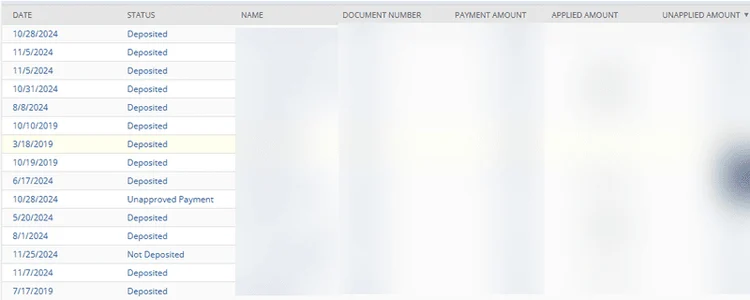
A client of ours sought a straightforward and clear method to examine payments with unapplied balances in NetSuite, particularly organized by customer and document number. Here's the approach we discovered!
This can be effortlessly accomplished by setting up a transaction saved search in NetSuite. Below, you'll find all the necessary details to create one.
If you need a refresher on utilizing NetSuite Saved Searches, take a look at this NetSuite Saved Search Guide (and video tutorial) that my colleague Caleb developed in October 2022!
Solution: Transaction Saved Search in NetSuite
Step 1: Create a transaction saved search
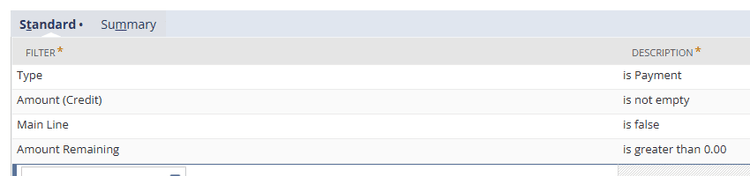
NetSuite Saved Search Criteria
- Type = Payment
- Amount (Credit) = is not empty
- Main Line = False
- Amount Remaining = is greater than 0.00
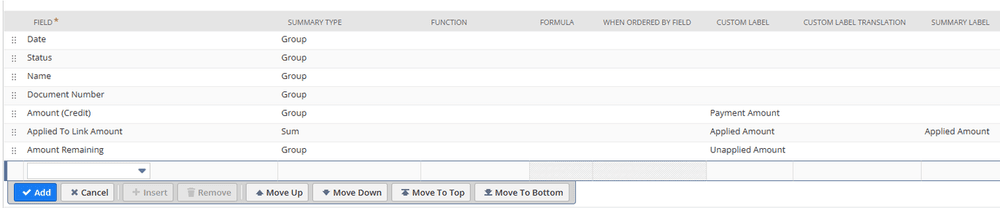
NetSuite Saved Search Results
- Date (Group)
- Status (Group)
- Name (Group)
- Document Number (Group)
- Amount (Credit) ((Group))
- Applied to Link Amount (Sum)
- Amount Remaining (Group)
Step 2: The results should follow the specified grouping, showcasing the customer, document number, and the corresponding amounts that are applied or unapplied.