
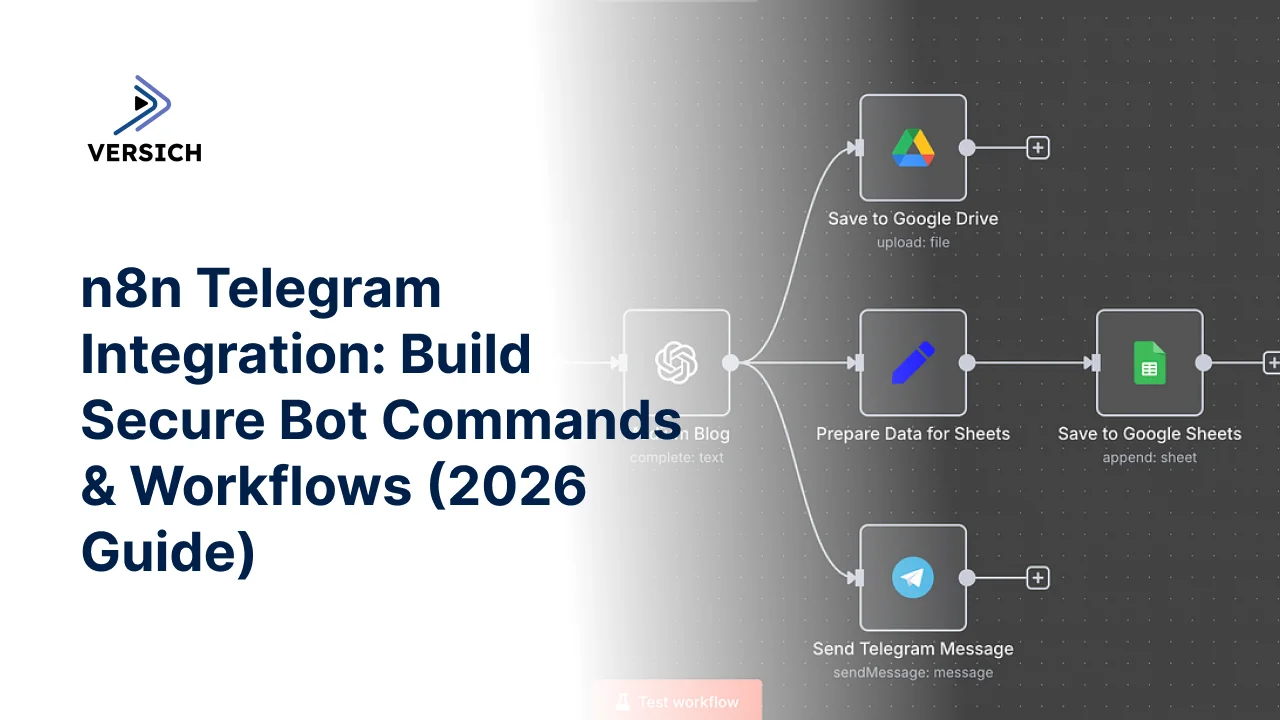
An n8n Telegram integration lets us use messages, commands, and button interactions in Telegram to start automated workflows. With n8n’s Telegram Trigger node, we can receive an update from a Telegram bot, validate the sender and command, process the data with n8n nodes, and respond through the Telegram node. The most reliable setup for connecting Telegram to n8n uses a bot created with BotFather, a reachable HTTPS n8n instance, explicit command handling, sender validation, and an error path for failed actions.
A Telegram message is more useful than a simple notification when it becomes an intentional workflow input. Someone can send /status, approve an item with an inline button, or submit a short command that causes n8n to query a database, call an API, update a business system, or return a result in the same chat.
This article focuses on the practical implementation details that determine whether the n8n Telegram bot integration is dependable. For the broader role of n8n in multi-application automation, see our overview of n8n workflow automation use cases. Here, we narrow the discussion to Telegram bot automation with n8n as an interactive control surface for workflows.
What does an n8n Telegram integration actually do?
An n8n Telegram integration connects a Telegram bot to an n8n workflow so that Telegram activity becomes structured workflow input. The Telegram bot receives an update, the Telegram Trigger node starts an execution, and subsequent nodes decide what action to take.
The workflow does not need to treat every message as an instruction. We can design it to respond only to defined commands, approved callback buttons, messages from known chat IDs, or a combination of these conditions. That distinction matters because a public bot is an input endpoint, not a private internal system.
A practical workflow might begin with the Telegram Trigger node listening for message updates. It then passes the incoming text and chat information to an IF node or Switch node. A matching command routes to the relevant branch, while an unsupported command reaches a help response. The action branch can use an HTTP Request node, a database node, a CRM integration, or a Code node before the Telegram node sends the result.
The incoming Telegram data includes useful nested fields. Depending on the update type, we might read the message text from message.text, the sender from message.from.id, the conversation from message.chat.id, or a callback value from callback_query.data. In n8n, these values are available through expressions such as {{ $json.message.text }} and {{ $json.message.chat.id }}.
One important implementation detail is that a Telegram bot n8n setup cannot initiate a private conversation with a user who has never interacted with it. The user must first open the bot and send a message, commonly /start. We should also keep the chat ID available because Telegram requires a destination chat ID when n8n sends a reply.
When should we use Telegram to start an n8n workflow?
Telegram is a strong workflow entry point when a person needs to initiate a small, controlled action from a device they already use. It is particularly useful for operational commands, approvals, status lookups, alerts that require a response, and lightweight data collection.
It is less suitable as the only interface for complex forms, high volume data entry, or workflows that need detailed audit screens. Telegram messages are conversational and compact. If the user must provide many fields, upload multiple documents, or review a complicated record, a dedicated web form or business application gives us better validation and visibility.
The distinction between notification and control is important:
A Telegram notification tells someone that an event happened.
A Telegram-triggered workflow lets someone cause, approve, reject, or query an event.
A two-way workflow does both, while preserving the original execution context.
For example, a Telegram bot can send an approval request containing an inline keyboard. The user selects an option, Telegram sends a callback query, and a second execution begins. That second execution must identify the original record from the callback data rather than trusting only the visible button label.
We should also define whether the bot operates in private chats, group chats, or channels. Group messages introduce additional concerns, including chat permissions, privacy mode, accidental command visibility, and the possibility that more people can invoke a command than intended.
Our n8n automation developer service covers this kind of workflow design when the integration needs custom API calls, authentication, validation, retry logic, or secure deployment rather than a basic trigger-and-reply flow.
What do we need to connect Telegram to n8n?
The first requirement is a Telegram bot token. We create the bot through BotFather, define its name and username, and copy the token into n8n as a credential. The token should be treated like a password. It should not appear in message text, Code node output, screenshots, or version-controlled workflow exports.
The second requirement is an n8n URL that Telegram can reach. A production Telegram Trigger setup needs a publicly accessible HTTPS endpoint. A local n8n installation running only on localhost cannot receive Telegram webhook updates directly. For development, we need a secure tunnel or a deployed n8n environment, and the public URL must remain stable enough for n8n Telegram webhook registration.
The third requirement is a clear command contract. Before building the workflow, we decide:
Which commands are supported.
Which users or chat IDs are allowed.
Whether commands work in private chats or groups.
What arguments each command accepts.
What confirmation is required before an irreversible action.
What response the user receives when validation fails.
We should store allowed chat IDs in n8n credentials, environment variables, a data table, or another protected configuration source. Hard-coding a small allowlist inside a Code node is possible, but it becomes difficult to maintain as the number of authorized users changes.
A useful development convention is to set the Telegram Trigger to receive message events first, then test /start and a normal text message. Once the basic connection works, we can add callback queries, document events, or other supported Telegram update types.
The Telegram API uses webhooks for this type of integration. If another application has already registered the bot’s webhook, n8n may not receive the expected updates. A bot should have one clear receiving system in each environment, such as development or production, to avoid confusing delivery behavior.
How do we build an n8n Telegram bot workflow?
We build the core automation as a numbered sequence of named nodes. The Telegram Trigger receives a message update and passes it to a Code node that normalizes the command, text, sender ID, and chat ID into predictable fields. The IF node checks whether the sender is authorized. The authorized branch flows into a Switch node that routes /status, /approve, and /help to separate paths. Each action branch calls the required application through an HTTP Request node or native integration, and the Telegram node sends the response back to the original chat. An error path uses a second Telegram node to return a safe failure message without exposing internal details.
This structure keeps Telegram-specific field paths near the beginning of the workflow. Downstream nodes then work with normalized fields such as command, argument, chatId, and senderId, rather than repeatedly referencing deeply nested update data.
A Code node for normalization can use logic like this:
const message = $json.message ?? {};
const text = String(message.text ?? '').trim();
const [command = '', ...parts] = text.split(/\s+/);

return {
  json: {
    command: command.toLowerCase(),
    argument: parts.join(' '),
    chatId: message.chat?.id,
    senderId: message.from?.id,
    username: message.from?.username ?? ''
  }
};
This snippet handles ordinary text messages and prevents an absent text field from causing a runtime error. For callback queries, we would create a separate normalization branch because the relevant values appear under callback_query, not message.
The IF node should validate authorization before any business action runs. Set its condition to compare the normalized sender ID against an approved value or configuration source. For a single approved chat, an expression such as {{ $json.chatId }} can be compared with the expected numeric chat ID. For multiple users, a lookup from a data table or database is more maintainable than adding many IF conditions.
The Switch node is appropriate when the workflow has several commands. Route using {{ $json.command }} and define cases for values such as /status, /approve, and /help. Add a fallback output that sends usage instructions. The fallback is not optional. Without it, malformed or unsupported messages can appear to disappear, which makes the bot feel unreliable.
For a reply, configure the Telegram node with the Resource set to Message and the Operation set to Send Message. Map the Chat ID field to {{ $json.chatId }} and place the response in the Text field. If the action branch changes the current item and no longer contains the original chat ID, use a Merge node to bring the normalized Telegram context back together with the action result before sending the response.
Example use case: a status-check Telegram bot for n8n
A common starting point for an n8n Telegram bot is a read-only status command. A user sends /status invoice-123, the workflow validates the sender and the argument format, calls an internal API or database through an HTTP Request node, and replies with the current status in plain text. This pattern is low risk because it only reads data, which makes it a safe first automation before adding approval or write actions.
How should we parse Telegram commands safely?
Command parsing should separate the instruction from its arguments, then validate each argument according to the action. A command such as /status invoice-123 is not valid merely because it begins with /status. We still need to confirm that the identifier has the expected format and that the requesting user is allowed to view it.
The parser should reject empty commands, excessive arguments, unexpected control characters, and values that are too long for the intended API. We should also avoid passing raw Telegram text directly into SQL statements, shell commands, or arbitrary URLs. Use parameterized database queries, allowlisted API routes, and explicit transformations.
For simple command validation, the Code node can return a validity flag:
const command = String($json.command ?? '');
const argument = String($json.argument ?? '').trim();
const validId = /^[A-Za-z0-9_-]{1,80}$/.test(argument);

return {
  json: {
    ...$json,
    valid: command === '/status' && validId,
    recordId: argument
  }
};
An IF node can then evaluate {{ $json.valid }} equals true before the HTTP Request node runs. This creates a clean separation between parsing and action execution. The HTTP Request node should use a configured credential, not an API key pasted into a URL or message expression.
Telegram message formatting requires care as well. If the Telegram node uses Markdown or HTML parse mode, dynamic values must be escaped for that format. The safest default for untrusted values is plain text. A record description, username, or API error should not be inserted into rich formatting without escaping characters that Telegram interprets as markup.
We should also decide how the bot handles duplicate updates. External systems retry webhook delivery when they do not receive a successful response, and a workflow that performs a non-idempotent action twice can create duplicate records or repeated approvals. Store an update identifier or business operation key when the action must run only once. An idempotency check before the action is more reliable than trying to reverse duplicate activity later.
How do Telegram buttons and approvals work with n8n?
Inline keyboard buttons turn a Telegram bot into a compact approval interface. The initial workflow sends a message with buttons such as Approve and Reject. When a user selects one, Telegram produces a callback query. The Telegram Trigger must be configured to receive callback query updates, and the workflow must read the callback data and the user who clicked it.
The callback data should contain a short, non-sensitive reference, such as an internal approval ID and action code. Do not place access tokens, confidential record details, or unrestricted commands into button data. Telegram transports that value back to the bot, but it is still input that requires validation.
A safe approval design checks three things before changing a record:
The callback action is one of the expected values.
The user and chat are authorized for the referenced approval.
The approval is still pending and has not already been processed.
The callback branch can use an expression such as {{ $json.callback_query.data }} to retrieve the button value and {{ $json.callback_query.from.id }} to identify the person who clicked it. After processing, the Telegram node can answer the callback query or edit the original message, depending on the response design supported by the configured Telegram operation.
The original message context matters. A callback execution does not automatically behave like the first message execution. If the approval ID, original chat ID, or message ID is needed, encode a safe reference in the callback data or retrieve the context from a database. Do not assume that a field from the first execution remains available in the second execution.
For sensitive approvals, we recommend a second confirmation step or a link to an authenticated application. Telegram can provide convenient control, but convenience should not replace identity assurance when an action has financial, legal, access-control, or data-deletion consequences.
How do we secure a Telegram-triggered n8n workflow?
Security starts with restricting who can invoke the workflow. A bot username is not an authorization mechanism. We should validate the numeric sender ID and chat ID from the Telegram update, and we should reject messages from unexpected group chats. If the workflow supports group use, define the exact group IDs and command behavior rather than accepting any chat.
Credential handling is equally important. Store the Telegram bot token in an n8n credential, use separate credentials for development and production, and limit access to workflow editors. In a self-hosted deployment, protect the n8n editor and execution data with appropriate authentication, network controls, backups, and secret management.
The workflow should return generic error messages to Telegram. Detailed HTTP responses, database errors, internal URLs, and stack traces belong in n8n execution logs or an internal alert channel. We can send an incident reference to the user while preserving technical details for authorized operators.
A practical security branch begins with the Telegram Trigger, passes through an authorization IF node, and stops unauthorized executions before any HTTP Request node or database action. The IF node can compare both fields, conceptually checking {{ $json.senderId }} and {{ $json.chatId }} against approved values. If either check fails, the workflow sends a neutral response or ends without revealing whether a valid account, record, or command exists.
Webhook exposure also deserves attention. Use HTTPS, keep n8n updated, restrict editor access, and avoid publishing the n8n Telegram webhook URL unnecessarily. The bot token itself is the critical Telegram credential, so rotate it through BotFather if it is exposed. A token rotation requires updating the n8n credential and confirming that the bot’s webhook is registered correctly afterward.
For broader workflow reliability practices, our n8n automation implementation guidance discusses validation, branching, exception handling, and orchestration across systems.
How do we test and monitor the integration?
Testing should begin with harmless commands and a development bot. Confirm that /start creates an execution, that the workflow captures the expected chat ID, and that a Telegram node can send a reply. Then test unsupported text, missing arguments, incorrect users, group messages, callback buttons, and downstream API failures.
n8n’s execution history is valuable because it shows the exact item passed between nodes. During development, inspect whether message.text, message.chat.id, and message.from.id exist for each update type. Do not leave sensitive production data exposed in saved execution logs longer than necessary. Configure execution data retention according to the privacy and operational requirements of the deployment.
Monitoring should distinguish between transport failures and business failures. A Telegram delivery failure means the response did not reach the chat. A business failure means the message arrived, but the requested API or database action failed. These failures need different retry behavior and different alerts.
For transient external API errors, configure the HTTP Request node’s response and error behavior deliberately. A retry should not repeat a non-idempotent action without an idempotency key. For a failed reply, the workflow can log the result and route an alert to an internal channel, while the business operation remains traceable through its record ID.
A useful operational pattern is to include a correlation value in internal logs, such as the n8n execution ID or a generated request reference. We should not necessarily expose that value in every Telegram reply, but it gives support teams a way to connect a user’s message with the corresponding execution.
Telegram bots versus other n8n workflow triggers
Telegram is not automatically the best trigger for every process. The right choice depends on who initiates the action, how structured the input is, and how much authentication the process requires.
| Trigger approach | Best fit | Main advantage | Main limitation |
|---|---|---|---|
| Telegram Trigger | Commands, approvals, quick status checks | Familiar conversational interface | Limited form structure and identity assurance |
| Webhook Trigger | External applications and custom interfaces | Flexible request handling | Requires a separate client or front end |
| Form Trigger | Structured submissions | Clear fields and validation | Less convenient for rapid operational commands |
| Schedule Trigger | Recurring jobs and monitoring | Predictable execution timing | No immediate user interaction |
| App-specific trigger | Events inside a connected platform | Native event context | Depends on the available integration |
A Telegram Trigger is a good fit when the user needs a fast command path and the action can be expressed with a small number of validated inputs. A Webhook Trigger is better when another system already owns the user interface. A Form Trigger is preferable when completeness and field-level validation matter more than conversational speed.
We should not use Telegram as a substitute for role-based access control in the system being changed. The n8n workflow can enforce an allowlist, but the downstream application should still authorize the requested operation wherever possible.
Is an n8n Telegram integration worth implementing?
An n8n Telegram integration is worth implementing when it removes a genuine interaction bottleneck and the command surface remains small enough to secure and maintain. It gives us fast human-in-the-loop automation without requiring a new front-end for every operational action.
The integration becomes more valuable when combined with n8n’s visual branching, native integrations, HTTP Request node, Code node, and execution history. We can begin with a single status command, then add controlled actions after authorization, auditability, and error handling are proven.
It is not a good choice when the workflow needs complex data entry, strict identity verification, regulated approval evidence, or a rich user experience. In those cases, Telegram can still serve as an alert channel while a dedicated application handles the actual transaction.
If the workflow connects Telegram to internal systems, we should also plan for ownership. Define who maintains the bot credential, who reviews failed executions, how commands change, and how access is removed when a user no longer needs it. These operational details determine whether the automation remains safe after launch.
Conclusion
A well-designed n8n Telegram integration turns a Telegram bot into a controlled entry point for automation. The essential pattern is straightforward. The Telegram Trigger receives an update, n8n normalizes and validates it, a Switch node selects the command path, business systems perform the action, and the Telegram node returns a clear response.
Reliability comes from the details. Use HTTPS, protect the bot token, validate sender and chat IDs, separate parsing from business logic, handle callback queries explicitly, design for idempotency, and monitor both Telegram delivery and downstream failures.
If we need help designing a secure Telegram workflow, connecting private APIs, or deploying n8n with maintainable credentials and error handling, contact Versich to discuss the integration.






