NetSuite can handle a surprising amount of integration work without an external platform. A simple drop-ship process can connect a sales order to a purchase order and route the transaction through NetSuite's standard workflows. For a business working with a small number of vendors and relatively straightforward order flows, that may be all the integration it needs.
The challenge usually appears when the technology environment becomes more complicated.
One vendor may require EDI. Another may expose a REST API. A third may exchange CSV or XML files. Your e-commerce platform may need near-real-time inventory updates, while your warehouse system sends fulfillment information in scheduled batches. Meanwhile, finance may need every transaction reconciled back to NetSuite.
At that point, “Can NetSuite integrate with this system?” is no longer the most useful question. The better question is: “What is the most reliable way to manage these integrations as our business grows?”
You can build many of these connections using NetSuite's native integration capabilities, including SuiteTalk REST Web Services and RESTlets. You can also introduce an integration platform that provides connectors, workflow orchestration, data transformation, monitoring, and centralized integration management. For highly specialized requirements, a custom integration may give your team more control over how data moves and how business rules are enforced.
A native or custom NetSuite integration can provide tighter control and may be the right choice for a focused requirement. An integration platform can make more sense when multiple applications, data flows, and business processes need to be managed through a common integration layer. In some environments, the most practical solution is a combination of both.
This guide breaks down the differences between NetSuite integration platforms and custom integrations, including where each approach fits, what it means for cost and maintenance, and how to choose an architecture that can keep up with your business.
Why Integrate NetSuite With Other Applications?
NetSuite rarely operates as an isolated system in a growing business. An organization may use NetSuite for its ERP and financial operations while relying on Salesforce for CRM, Shopify for e-commerce, a warehouse management system for fulfillment, a payroll platform for employee data, and Power BI for analytics. Without reliable connections between these systems, employees often become the integration layer.
Someone exports an order file. Another person updates inventory. Finance reconciles transactions in a spreadsheet. Operations checks whether a fulfillment record reached the ERP. IT investigates why a customer record was duplicated.
The technology may be modern, but the process remains manual. Integration changes that by allowing systems to exchange information according to defined business rules. Depending on the requirement, data can move one way (from an e-commerce platform into NetSuite) or in both directions, such as when customer, order, inventory, and fulfillment information needs to remain synchronized. The objective is not simply to make two applications communicate. A well-designed integration should also define which system owns the data, when information moves, how records are transformed, what happens when something fails, and who is responsible for resolving the problem.That is where the choice between an integration platform and custom development becomes important.
What Is a NetSuite Integration Platform?
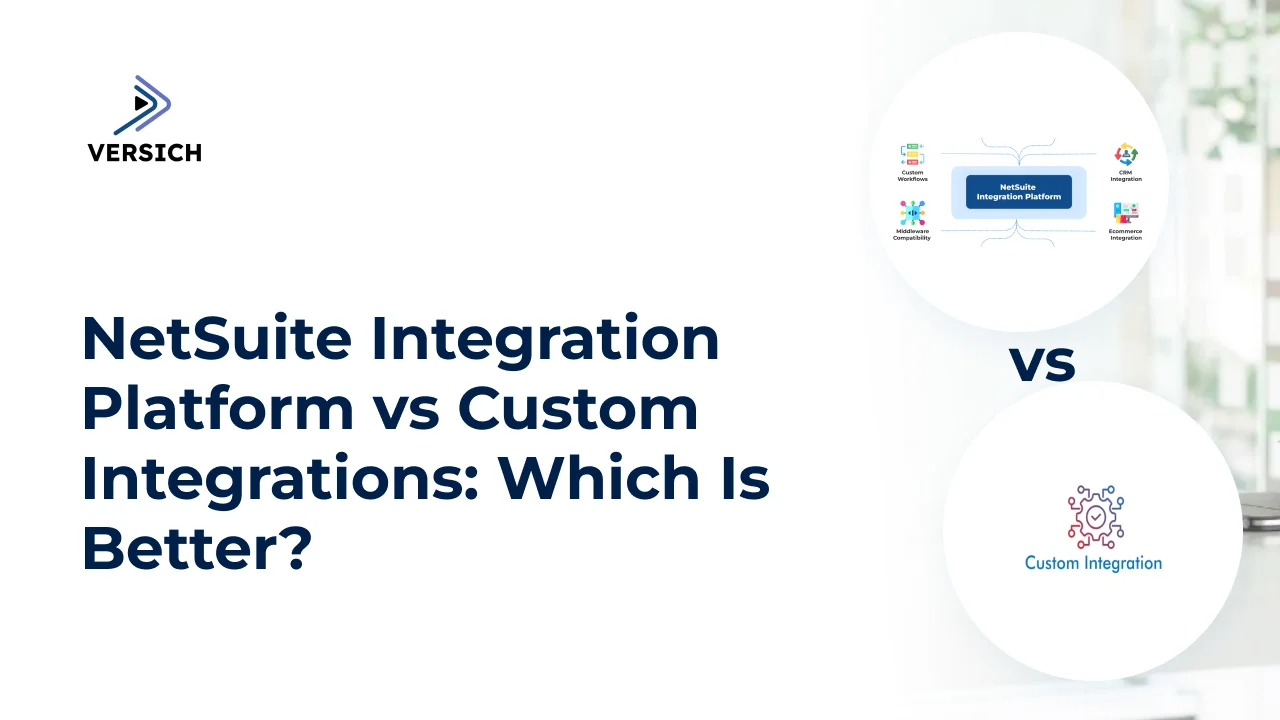
A NetSuite integration platform acts as a central integration layer between NetSuite and the other applications a business relies on. Instead of building and maintaining every connection independently, an integration platform can provide connectors, APIs, data transformation, workflow orchestration, error handling, and monitoring through a common environment. For example, a simplified flow might look like:
Shopify → Integration Platform → NetSuite → Warehouse System
When a customer places an order, the integration can transfer the relevant order and customer information to NetSuite, where it can be processed according to the organization's business rules. Inventory or fulfillment information can then move back through the integration to the systems that need it.
How a NetSuite Integration Platform Works
A typical integration platform brings several capabilities together:
Connectors and APIs to establish connections with NetSuite and third-party applications
Data mapping and transformation to convert information between different systems and formats
Workflow orchestration to determine when and in what order processes should run
Error handling and retries when a transaction fails or an application is temporarily unavailable
Monitoring and logging to help teams identify failed or incomplete transactions
Authentication and security controls to manage access between connected systems
This creates a different architecture from a collection of isolated point-to-point integrations. With two applications, a direct connection may be relatively simple. As more applications are introduced, however, the number of connections and dependencies can increase quickly. A centralized integration layer can provide a more consistent way to manage those flows rather than embedding separate integration logic into every application.
What a NetSuite Integration Platform Does Not Do
An integration platform does not automatically make an integration reliable simply because a connector exists. The business still needs to decide which system owns each record, which fields should synchronize, whether data should move in real time or in batches, how duplicates are prevented, and what happens when a transaction fails. For instance, connecting Salesforce and NetSuite is only the technical starting point. You still need to determine whether Salesforce or NetSuite owns customer information, when an opportunity becomes a customer, which system creates the sales order, and how updates are handled when the same record changes in both systems.
That design work is particularly important when integrations support financial transactions, inventory, fulfillment, or other processes where an incorrect or duplicated record can create downstream problems.
Why Integration Platforms Become More Useful as Businesses Grow
An enterprise might eventually need to connect NetSuite with its CRM, e-commerce platform, warehouse, payment provider, payroll system, planning application, data warehouse, and internal applications. At that point, integration management becomes an architectural problem rather than a single development task. An integration platform can provide a common layer for those connections, making it easier to standardize monitoring, manage data flows, troubleshoot failures, and introduce additional integrations without redesigning the entire environment.
That does not mean an integration platform is automatically the right choice. Some organizations will be better served by custom integrations, particularly when they have highly specialized applications or business logic. Others may benefit from a hybrid model that combines an integration platform for standard connections with custom development for requirements that need greater control.
The decision ultimately comes down to the complexity of your systems, the nature of your data flows, and how much integration logic your organization needs to own and maintain.
What Is a Custom NetSuite Integration?
A custom NetSuite integration is a purpose-built connection between NetSuite and another application, system, or business process that requires more control than a standard connector or prebuilt integration can provide. Instead of relying on fixed mappings and workflows, developers can use NetSuite APIs, SuiteTalk REST Web Services, RESTlets, SuiteScript, or other application-specific technologies to define exactly how data is exchanged and how business rules are applied.
Custom integrations can address non-standard data structures and business rules. An organization may need to synchronize only specific fields, apply different rules by subsidiary, prevent duplicate records, transform data between incompatible formats, or trigger downstream actions when particular conditions are met. Instead of forcing those requirements into the limitations of a prebuilt connector, the integration is designed around the actual workflow.
However, that flexibility comes with responsibility. A custom integration needs more than working API calls. The implementation team must account for authentication and permissions, data mapping, retries, error handling, logging, monitoring, API usage, deployment, and ongoing maintenance. NetSuite also applies concurrency and governance controls to its integration channels, so high-volume integrations need to be designed with those constraints in mind.
This is why custom development is usually most valuable when the business process itself is specialized. If a standard connector can handle the required workflow reliably, building from scratch may add unnecessary cost and maintenance. But when the process involves complex rules, unusual data flows, specialized applications, or requirements that standard integrations cannot accommodate, a custom NetSuite integration can provide the control needed to make the systems work together properly.
This is where our NetSuite integration services can go beyond connecting two applications. The focus is on designing the integration around the business process, including how data moves, which system owns each record, what happens when something fails, and how the integration can be maintained as requirements change.
When Should You Choose a NetSuite Integration Platform?
A NetSuite integration platform is often a strong choice when your business needs to connect multiple applications using repeatable data flows. Instead of developing and maintaining every connection separately, an integration platform provides a common environment for managing how data moves between NetSuite and the rest of the technology stack. An integration platform can be particularly useful when you need:
1. Multiple Application Integrations
As the number of applications increases, managing integrations individually can become difficult. A central integration layer can provide a more consistent way to connect NetSuite with the systems around it. Instead of maintaining separate connections,the organization can manage these flows through a common integration environment. This approach can make it easier to standardize authentication, data mapping, error handling, monitoring, and deployment across different integrations. It can also make the overall architecture easier to understand as new applications are added.
2. Standard Data Flows
Integration platforms are particularly useful for business processes that follow predictable patterns. Common examples include:
Customer synchronization
Sales order creation
Product and inventory updates
Fulfillment and shipment updates
Invoice synchronization
Payment status updates
Customer and vendor record synchronization
3. Faster Implementation
Prebuilt connectors and reusable integration components can reduce development time when the required applications and processes are already supported. Instead of writing the underlying connection between Shopify and NetSuite from the beginning, this can shorten the initial implementation, particularly when several applications need to be connected.
However, faster implementation should not be confused with automatic implementation. The integration still needs to be configured, tested, monitored, and validated against real business scenarios. Poorly configured mappings can still create incorrect records or cause transactions to fail even when the underlying connector is already available.
4. Centralized Monitoring and Error Management
As integrations grow, knowing whether data actually moved successfully becomes just as important as establishing the connection. Integration platforms can provide a central location for monitoring integration flows, viewing transaction logs, identifying failures, and investigating errors.
With appropriate monitoring, the integration team can identify the failed transactions, determine why they failed, and apply the appropriate correction or retry process. This becomes increasingly valuable when a business has many integrations running continuously rather than a small number of occasional data transfers.
5. Business and IT Collaboration
Some integration platforms provide visual interfaces that allow technically capable administrators and business users to understand parts of an integration without working directly with application code. That can reduce the need for developers to handle every minor adjustment. But this does not eliminate the need for technical governance. Changes to mappings, authentication, business rules, or production workflows can affect financial records and operational processes. Organizations still need appropriate access controls, testing procedures, documentation, and change management.
When Is a Custom NetSuite Integration Better?
A custom NetSuite integration becomes more attractive when the business requirement does not fit neatly into an existing connector or standard integration pattern. This does not necessarily mean the integration platform is incapable of handling the requirement. Many platforms support custom transformations, scripts, APIs, and complex workflows. The question is whether building the requirement within that environment provides the right level of control and maintainability.
Custom integration can be appropriate when connecting NetSuite to:
A proprietary internal application
A heavily customized enterprise system
An industry-specific platform
A legacy application
A specialized database
A system with unusual authentication requirements
An application without a suitable prebuilt connector
A process involving complex transformation or validation rules
A custom integration can be designed specifically around those requirements. Custom development can also make sense when the integration is part of a larger application or business process. This can be particularly useful when the integration needs to coordinate several systems rather than simply transfer a record from one application to another.
Some integrations contain business rules that are highly specific to the organization. An integration platform may be capable of implementing this logic. But if the rules become extensive, change frequently, or need to interact with specialized application logic, implementing everything inside a generic integration workflow may become difficult to maintain.
Custom development can provide more direct control over how these rules are evaluated and how NetSuite responds to each outcome. It should not be selected simply because a process is complex. If an existing connector or integration platform can handle the requirement reliably and maintainably, building the integration from scratch may add unnecessary development and support costs.
Consider a hybrid approach when:
Some integrations are standard and others are highly customized.
You have a mixture of SaaS and proprietary applications.
You want to reduce custom development without sacrificing flexibility.
Different integration patterns require different technologies.
A hybrid architecture is often practical for larger NetSuite environments. This avoids the assumption that every integration needs to be built in exactly the same way. Standard processes can use reusable components, while specialized requirements receive the level of customization they actually need.
Cost and Maintenance: How Do the Approaches Compare?
The cost of a NetSuite integration is not limited to what it takes to build the initial connection. The more useful comparison is the total cost of operating and maintaining the integration over time.
An integration platform usually introduces licensing or subscription costs, but some of that expense can be offset by reusable connectors, centralized monitoring, built-in error handling, and a common environment for managing multiple integrations. For a business connecting several standard applications, this can reduce the amount of custom infrastructure that needs to be developed and maintained.
Custom integrations have a different cost structure. They may avoid the licensing cost of an additional integration platform, but the business is responsible for developing and maintaining more of the integration itself. That can include authentication, data transformation, logging, retries, monitoring, API changes, testing, deployment, and troubleshooting.
Maintenance also becomes more important as the connected systems change. NetSuite releases updates, third-party APIs evolve, authentication requirements change, and business processes are modified. An integration that works today still needs to be tested and supported when one of those dependencies changes.
This means a cheaper initial implementation is not necessarily the less expensive option over several years. When comparing the two approaches, consider:
Platform licensing and subscription fees
Initial development and configuration costs
Custom development requirements
Monitoring and support
Testing after application or API updates
Internal technical skills required
Cost of resolving failed transactions
Additional development as business requirements change
For a small number of specialized integrations, custom development may be easier to justify. As the number of connected applications and workflows increases, however, the operational benefits of centralized integration management may begin to outweigh the additional platform cost.
A hybrid architecture can also change the calculation. Standard integrations can be handled through a shared platform while custom development is reserved for workflows that genuinely require it. The objective should be to choose the architecture with a sustainable total cost of ownership rather than simply selecting the option with the lowest initial implementation price.
What Should You Ask Before Building a NetSuite Integration?
The integration method should be decided after answering a few practical questions. A technology can look attractive on paper but still be a poor fit if it does not match the business process or the team's ability to support it.
1. What systems are involved?
Start by mapping the entire application landscape. This could include:
NetSuite ERP
CRM
E-commerce platforms
Warehouse management systems
Payment platforms
Finance applications
HR systems
Databases
Data warehouses
Customer or supplier portals
Proprietary internal applications
The goal is to understand whether you are designing one connection or an integration architecture that will eventually involve many systems.
2. Which system owns each piece of data?
Every important data object should have a clear system of record. Without clear ownership, integrations can overwrite each other's changes, create duplicate records, or produce conflicting information. A reliable design should define the owner, direction of synchronization, trigger, and conflict-handling rule for important records and fields. This becomes especially important when the same customer, item, order, or payment exists in several applications.
3. What needs to move between systems?
Do not define the integration simply as “connect Shopify to NetSuite.” Define what actually needs to move. This level of detail helps determine whether an existing connector is sufficient or whether custom mapping and transformation will be required.
4. How quickly does the information need to move?
Not every integration needs real-time synchronization. Some processes require information to move within seconds or minutes. Others may work perfectly well with scheduled batch processing. Choosing the appropriate synchronization pattern can reduce unnecessary complexity and help control API usage and processing requirements.
5. What happens when something fails?
A reliable integration needs more than a successful API call. You should define:
How errors are detected
Where failures are logged
Whether failed transactions are retried
How duplicate transactions are prevented
Who receives error notifications
How failed records are reconciled
How partially completed workflows are handled
How the team can determine whether data was successfully processed
This matters because integrations operate in real environments where APIs become unavailable, authentication expires, required fields are missing, systems change, and individual transactions fail. A platform may provide some of this functionality, while a custom integration requires the implementation team to design and maintain it.
6. Who will maintain it?
The team responsible for the integration should be identified before development begins. This decision affects the technology you choose. A highly customized integration may be technically appropriate but difficult to support if the organization does not have people with the required development and NetSuite expertise.
Which Is Better: NetSuite Integration Platform or Custom Integration?
A NetSuite integration platform is generally the better fit when you need to connect multiple standard applications, use repeatable workflows, centralize monitoring, and reduce the amount of custom infrastructure your team has to maintain. Custom integration is more appropriate when the requirement is highly specialized, the connected applications are proprietary or heavily customized, or the integration requires business logic and data handling that standard connectors cannot accommodate cleanly.
For many enterprises, however, the strongest architecture will combine both. The goal should not be to minimize code at all costs or maximize the number of prebuilt connectors.
Conclusion
Choosing between a NetSuite integration platform and custom integration is ultimately an architecture decision, not simply a development preference. Integration platforms can make common connections faster to implement and easier to manage, while custom integrations provide the control needed for specialized applications and complex business requirements. A hybrid approach can bring the two together when an organization has both standard and highly customized integration needs.
Oracle currently recommends SuiteTalk REST Web Services with OAuth 2.0 for newly built integrations. The company has also scheduled the gradual removal of SOAP Web Services: the 2025.2 endpoint is the last planned SOAP endpoint, and SOAP integrations are scheduled to stop working when NetSuite 2028.2 is released.
That makes integration planning more than a question of how to connect two applications today. The architecture should account for the APIs being used, authentication, transaction volumes, governance, monitoring, maintenance, and how the environment is likely to change.
The best integration is therefore not necessarily the one that is fastest to build. It is the one that fits the business process, moves data reliably, handles failures properly, can be monitored and supported, and remains practical to maintain as the technology environment grows.
If your organization is deciding how to connect NetSuite with CRM, e-commerce, data, finance, logistics, or other business systems, Versich can help evaluate the integration requirements and determine whether a platform-based, custom, or hybrid approach makes the most sense.