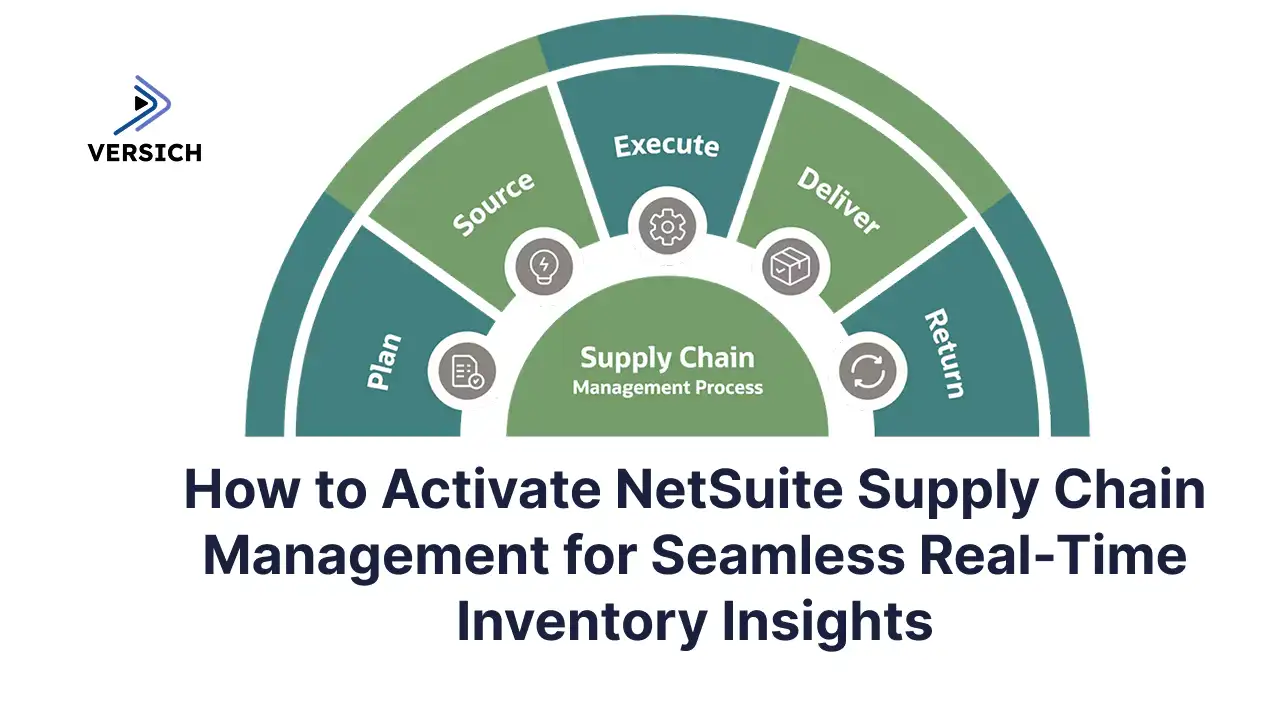
NetSuite Supply Chain Management blends native capabilities with optional modules to supercharge inventory tracking, order fulfillment, and visibility across locations and channels. Forget basic stock tools. NetSuite SCM gives you a unified dashboard for complex ops, perfect for distributors juggling warehouses or omnichannel sales.
At Versich, we've helped clients slash manual reconciliations from hours to minutes and boost revenue visibility. Ready to streamline? Let's dive in.
How Real-Time Data Consolidation Powers Your Supply Chain
NetSuite syncs inventory, sales, and warehouse data automatically, no more spreadsheets or delays. This "single source of truth" is a game-changer for multi-location businesses, updating everything instantly from picks to online orders.
Why it beats batch processing: No blind spots during peaks. Clients tell us on-time deliveries jump because orders route to the right spot automatically.
Versich's Proven NetSuite SCM Setup: Step-by-Step
We've deployed SCM for startups to enterprises, earning 5-star reviews on Clutch, Google, and Trustpilot. Here's how we make it painless.
Prerequisites: Roles & Features You Need
Admin Access: Full rights for setup (we handle this in the sandbox first).
Key Roles: Inventory Manager, Purchasing, Warehouse Manager.
Enable These: Multi-Location Inventory, Demand Planning, SuiteFlow, Web Services.
Quick Activation Guide
Log in as Admin > Setup > Company > Enable Features.
Items & Inventory Tab: Flip on Multi-Location Inventory.
Transactions Tab: Activate Advanced Order Management.
Save & test in sandbox (we do 24-48 hour refreshes).
Grab extras from the SuiteApp Marketplace via Customization > SuiteBundler for WMS or logistics boosts.
Common Fixes:
"Missing feature"? Enable prereqs first.
Permissions glitch? We tweak roles fast.
Core Features Versich Configures for Max Impact
We tailor these to your ops, like automating project billing for dev firms or real-time dashboards for mining clients.
Multi-Location Tracking: Sync warehouses live.
Smart Order Routing: By stock, proximity, rules.
Procurement Auto-Pilot: Vendor picks, PO gen, receiving.
Demand Forecasting: AI-driven from sales trends.
Vendor Portals: Share stock/orders securely.
Client Win: One team cut month-end closes leadership now spots cash flow instantly.
Config Hacks: Inventory, Procurement & Fulfillment
Multi-Location Mastery
Setup > Locations > Add sites > Link items > Set reorders. Boom transfers tracked, discrepancies gone.
Procurement on Autopilot
Item records > Preferred vendors > Rules for auto-POs. Versich integrated this with time-tracking for seamless billing.
Fulfillment Rules
Setup > Order Management > Prioritize by closeness or stock. Splits orders smartly across sites.
Multi-Entity Tip: Use OneWorld for subsidiaries classes/depts/locations segment data perfectly, no scripts needed.
Dashboards & KPIs That Drive Decisions
We build these with saved searches:
Turnover analysis: Sales / Avg Inventory.
Alerts for low stock.
Portlets for fill rates.
Pro Move: SuiteQL for complex joins when searches max out.
Integrations Versich Nails (Salesforce, WMS & More)
OAuth 2.0 secures it all no credential risks.
Salesforce: Sync orders/shipments.
HubSpot: Stock-triggered campaigns.
WMS: Bin-level picks.
We use RESTlets/SuiteTalk for real-time flows. Clients rave: "Versich connected NetSuite to our tools seamlessly."
Workflows & Reporting: Automate Like a Pro
PO Approvals: Triggers on $ thresholds escalate if delayed.
Saved Searches in Workflows: Low stock? Auto-reorder.
Manufacturing Add-Ons: BOMs, routings, WIP tracking for makers.
Versich vs. the Rest: Why We're Your SCM Partner
Like SAP? NetSuite's faster (weeks, not months), cloud-native, user-friendly. Versich brings:
NetSuite Managed Services: 30+ hours/month support cut internal time in half.
Custom Integrations: Power BI dashboards, ERP migrations.
Real Results: 30% revenue jumps, automated forecasting.
Troubleshooting? Versich Has Your Back
Sync fails? Check script schedules.
Permissions? Role audit incoming.
NetSuite Support vs. Us: They fix bugs; we optimize your biz.
Ready to Transform? Versich delivers pixel-perfect SCM fast, reliable, and tailored. Book a consult today and see why clients say we're "game-changers."