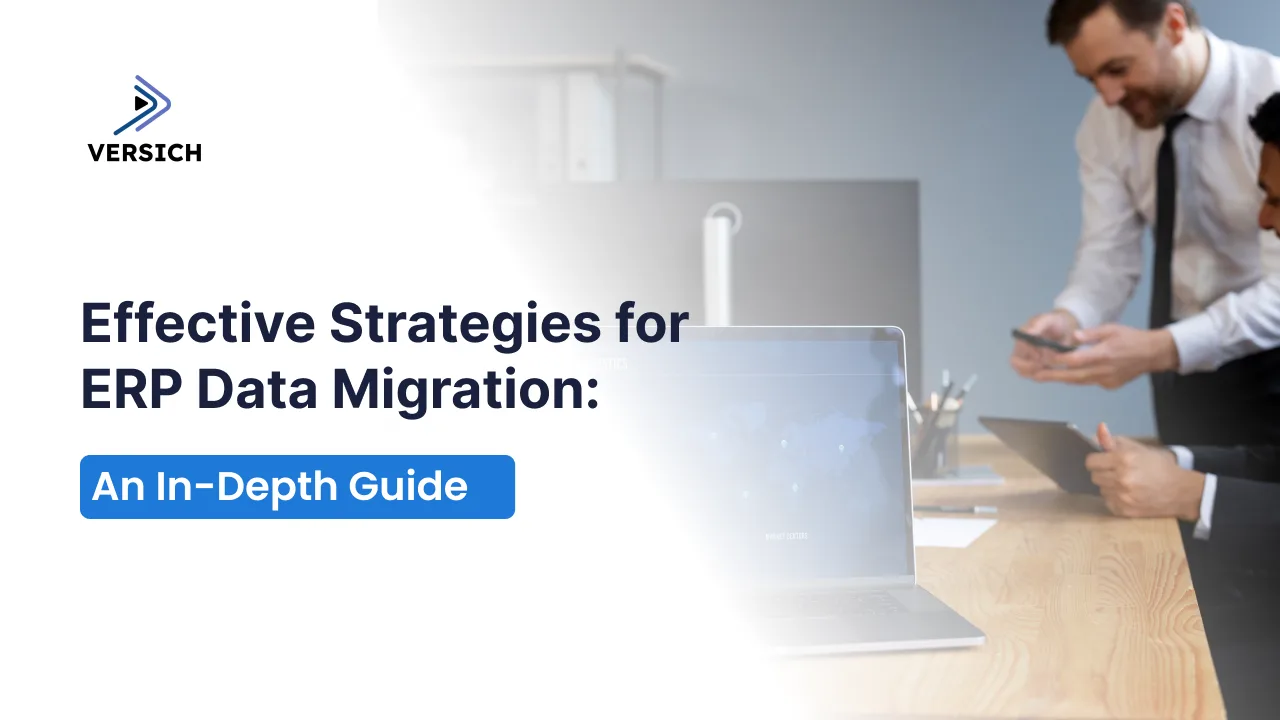
In today’s rapidly changing business environment, implementing a solid Enterprise Resource Planning (ERP) system is essential for maintaining operational effectiveness. However, the migration of data from legacy systems to a new ERP platform introduces complexities. Inefficient ERP migration can result in inaccurate data and system interruptions. To mitigate these risks, organizations must adopt best practices in migration. This guide outlines the fundamental steps necessary for successful ERP data migration.
What is ERP Data Migration?
The process where data is transferred from older systems to a new ERP system is known as ERP data migration. This involves several stages, including data extraction, transformation, validation, and the physical loading of data into the new environment. Due to the sheer volume and intricacies involved, this process can be quite challenging.
Organizations typically upgrade to a modern ERP system to benefit from improved operational efficiency, enhanced data-driven decision-making, and better customer service. Ultimately, the success of these advantages hinges on the effectiveness of the data migration process.
Essential Steps in ERP Data Migration
An effective data migration process for ERP systems includes these critical steps.
1. Data Evaluation
Before migration, it’s crucial to assess the quality and organization of the data in legacy systems. Key aspects to examine include:
Compiling a detailed inventory of all data sources, encompassing databases, spreadsheets, and storage systems, to pinpoint relevant data sets.
Assessing the data's integrity to determine necessary cleaning, updating, and transformation requirements.
Evaluating the data's relevance or usefulness.
2. Data Configuration
Data configuration involves determining how the information from the legacy system will be structured within the new ERP platform. This means reorganizing the data accordingly. Essential actions for effective data configuration include:
Understanding how data within business processes interacts.
Mapping data fields to ensure compatibility between the legacy and new ERP systems.
Conducting small-scale tests to confirm that the data mapping processes as planned.
3. Data Extraction
Following data configuration, the next step involves extracting data from source systems. This often requires custom scripts or migration tools to extract data from various formats. The extraction process involves:
Recognizing that data volume can affect extraction speed, and large datasets may need to be broken into smaller batches for easier handling.
Ensuring that the data extracted is complete and consistent, addressing any inconsistencies before continuing.
Scheduling extraction during off-peak times and using backup systems to limit downtime.
4. Data Transformation and Cleansing
Once data extraction is complete, the information is updated and formatted to conform to the new ERP system’s requirements. This process encompasses reformatting fields, renaming variables, and converting data types, alongside cleansing to remove irrelevant or inaccurate entries. Steps include:
Confirming that data is in the appropriate format for integration into the new system. For instance, dates may need adjustments to align with new protocols.
Identifying and eliminating duplicate entries, as they can cause inefficiencies in the new environment.
Ensuring uniformity in standards, such as naming conventions and measurement units, to promote correct interpretation within the ERP.
5. Data Validation
Before loading data into the new ERP platform, validation is crucial for ensuring accuracy and completeness. Validation checks may include confirming that all required fields are filled, that there are no duplicate entries, and compliance with predefined business rules. Validation involves:
Guaranteeing data integrity throughout the various stages of migration to prevent any loss or corruption of records.
Ensuring that all migration data adheres to established business rules, including populated fields without invalid entries.
Performing comparative checks between the legacy and new ERP systems to verify proper data transfer.
6. Data Implementation
The processed and validated data is then loaded into the ERP system. Due to the complexity of some systems, this phase might happen in stages to minimize risks. Implementation practices include:
Phased data loading to mitigate risks while permitting easier error resolution, starting with less critical information before advancing to essential data.
Keeping backup copies during the loading phase enables swift restoration in case of complications.
Monitoring the system’s performance as data loading occurs, ensuring processes are scheduled for less busy hours if necessary.
7. Testing and System Launch
Post-loading, rigorous testing is necessary to confirm that the new ERP system works efficiently and that all data has been accurately transferred. This phase incorporates:
Validating that all features and functionalities of the ERP system operate as intended, including checking integrations, workflows, and reporting capabilities.
Confirming accurate and complete data migration through random checks and comparisons with the legacy system.
Engaging business users in the testing phase to ensure the system aligns with operational needs, as their input can reveal missed issues.
Challenges in ERP Data Migration
The intricate nature of ERP data migration brings forth several challenges. A single error in any phase can result in data inaccuracies, setbacks, or even failure of the project. Common hurdles include:
1. Data Quality Problems
A substantial challenge in ERP data migration pertains to the quality of the information itself. Legacy systems often accumulate years of historical data that may be outdated, incomplete, or erroneous. Common manifestations of data quality issues include:
Duplicate Records: Multiple entries of the same customer or product data in legacy systems can create confusion and inaccuracies in the new platform.
Obsolete Information: Details like customer addresses, prices, and supplier information may not be updated, leading to inaccuracies.
Inconsistent Data: Variations in data formats across different systems can compromise data integrity.
2. Complicated Data Structures
ERP systems typically involve intricate data relationships across various entities. Legacy systems may present differing data structures, complicating the mapping process. Challenges include:
Cross-Linked Data: Data might be interconnected with other systems, where incorrect migration can yield inconsistencies.
Multiple Data Locations: Data stored across various systems, from Excel spreadsheets to specialized applications, increases complexity.
3. Data Security Risks
Ensuring the safety of data during migration poses another challenge. It is vital to protect financial records, customer data, and proprietary processes from unauthorized access during migration. Potential security concerns include:
Data Breaches: Migrating extensive volumes of sensitive data without adequate security measures can expose the organization to risks.
Compliance Issues: Many sectors must adhere to data protection laws like GDPR or HIPAA, requiring management during the migration to avoid penalties.
4. Downtime and Disruption
The data migration process can lead to interruptions in business operations, especially if poorly coordinated. These disruptions can create significant financial and reputational impacts. Specific challenges include:
Business Continuity Risks: Data migration often necessitates system downtime, affecting organizations reliant on real-time access.
System Performance Issues: As data is processed, everyday operations might slow down, frustrating users requiring timely data access.
5. Insufficient Expertise
Executing an ERP data migration requires extensive knowledge of both legacy and new ERP systems. Many organizations might lack the necessary in-house expertise, resulting in delays or errors. Common gaps include:
Technical Skills: Teams may struggle with complex data extraction, transformation, and loading (ETL) processes.
Project Management: Coordinating migration tasks while implementing a new ERP system requires cross-departmental collaboration.
6. Inadequate Testing
Failure to conduct proper testing can yield various post-migration challenges. Testing is crucial for validating data accuracy and system functionality. Common testing pitfalls include:
Inconsistent Data Validation: Oversights in the validation stage can result in migrated data being incomplete or erroneous.
Testing Critical Scenarios: Some organizations may neglect to test key business scenarios, which can impact critical areas such as financial calculations or inventory management.
Recommended Practices for ERP Data Migration
To navigate the challenges associated with ERP data migration and facilitate a successful transition, businesses should adopt specific best practices. These strategies guide the planning, execution, and management phases of the migration process, minimizing the risk of data loss or disruptions.
1. Proactive Planning and Preparation
How well an organization prepares beforehand largely influences the success of ERP data migration. Initiate the process by crafting a detailed project trajectory, including key milestones, required resources, and timelines. Effective planning involves:
Resource Allocation: Assemble a dedicated team of tech experts, data analysts, and project managers with experience in both legacy and new ERP systems.
Communication Framework: Create a transparent communication plan to keep stakeholders updated on progress, risks, and potential downtime throughout the migration.
Documentation: Thoroughly document the migration process, embracing data mapping, transformation protocols, validation methods, and major steps involved.
2. Data Governance and Cleansing
Data governance is crucial throughout the data migration process, ensuring secure and consistent data handling. Implementing strong governance measures prevents issues such as data loss or corruption during migration. Key aspects include:
Data Custodians: Designate data stewards responsible for the upkeep of the quality and integrity of specific datasets.
Thorough Data Cleansing: Before migration, ensure data is cleansed by removing duplicates, correcting inaccuracies, and updating outdated information to mitigate errors in the new system.
Consistency Audits: Standardize data formats and naming conventions across datasets to maintain uniformity.
3. Data Mapping and Transformation Approach
Data from the legacy system will likely differ in formats and structures from that of the new ERP system. A concrete data mapping and transformation approach is critical for seamless migration. Best practices at this stage include:
Field-Level Mapping: Assess each legacy data field against the corresponding fields in the new ERP to ensure data flow clarity.
Automated Transformation Tools: Leverage automated tools to facilitate streamlined data conversion into compatible formats for the new ERP system, minimizing manual intervention.
Validation Criteria: Establish rules to verify the accuracy of transformed data, such as checking for missing values or duplicate entries.
4. Gradual or Phased Migration
Rather than undertaking a complete migration in one go, consider a gradual or phased approach. This method helps minimize risks by promoting an organized transfer of smaller data sets, ensuring each segment is thoroughly tested beforehand. Advantages of this strategy include:
Reduced Disruption: A phased approach decreases the chances of system downtime, allowing operations to continue while migration proceeds.
Easier Troubleshooting: Issues arising in one phase can be resolved before tackling the next segment, thus averting larger system-wide problems.
Optimized Resource Allocation: Phased migration allows more thoughtful resource distribution, ensuring each step receives the necessary attention.
5. Extensive Testing and Validation
Testing serves as one of the most vital stages in ERP data migration, confirming data accuracy, completeness, and functionality in the new system. Conduct comprehensive testing at multiple stages, from initial extraction to post-launch. Best practices include:
Test Environment Creation: Build a sandbox environment replicating the production setup for conducting tests without hindering normal operations.
Iterative Testing: Execute iterative testing during migration, validating smaller data batches and workflows to catch potential issues early.
User Acceptance Testing (UAT): Involve end-users in testing to ensure the ERP meets their requirements and that the data has been accurately migrated, as their insights are invaluable.
Complete System Tests: Once migration is finalized, carry out full system testing to confirm workflows, integrations, and reporting functions operate properly.
6. Backup and Contingency Planning
Despite thorough planning, unexpected issues can arise during data migration. To offset the risks of loss or corruption, it is vital to have a reliable backup and contingency strategy. Recommended practices include:
Data Backups: Develop complete backups of all legacy data prior to commencing the migration, enabling restoration in case of failure.
Contingency Procedures: Formulate a plan clarifying team responses to possible problems arising during migration, including fallback options.
Disaster Recovery: Maintain disaster recovery strategies to limit the impact of data loss or system failures.
7. Training and Ongoing Support
Once the data migration is successful and the new ERP system goes live, offering training and support for users is essential. To ensure users can navigate the new environment effectively, consider:
Training Initiatives: Implement comprehensive training programs for end-users to help them learn the new system’s features and data workflows.
Continued Assistance: Provide ongoing help to resolve any emerging issues after the launch, which may include setting up help desks or access to technical support.
Documentation: Supply detailed user guides and documents to assist users in managing and accessing the migrated information effectively.
Popular ERP Migration Tools
Numerous tools can enhance the efficiency of ERP data migration, each offering distinct characteristics to facilitate the transition. Some of the most utilized tools include:
1. Boomi
Boomi is a cloud-based integration platform offering data migration and integration services applicable to ERP systems like NetSuite, SAP, and Oracle. Its user-friendly interface simplifies data mapping and transformation tasks across various systems, while its automation features significantly reduce migration time and effort.
2. Celigo
Celigo is a robust integration and migration platform tailored for ERP systems such as NetSuite. It provides pre-built connectors that streamline data movement between systems, simplifying extraction, transformation, and loading during migration.
3. Informatica PowerCenter
A popular choice for data integration, Informatica PowerCenter offers rich capabilities for data migration, including support for ETL processes, data cleansing, and transformation. Its scalability suits large-scale migration projects, helping ensure data integrity and accuracy.
4. Dell EMC Data Migration
Dell EMC provides data migration tools designed for businesses transitioning data from legacy systems to modern ERP platforms. These tools aim to minimize downtime and guarantee the accuracy of migrated information.
5. SAP Data Services
SAP Data Services caters specifically to SAP ERP systems, offering a comprehensive suite of features for data extraction, transformation, and loading, ensuring seamless integration with SAP applications.
Why Choose Versich for Your ERP Data Migration?
Versich stands out as a reliable partner for organizations looking to implement or migrate to NetSuite ERP. Years of experience in ERP deployment and data migration equip Versich with the expertise and resources essential for a successful transition. Benefits of working with Versich include:
Versich boasts a team of certified NetSuite professionals adept at managing the complexities of data migration, guiding you seamlessly through the process. Customized data migration strategies tailored to your organization’s unique needs ensure efficiency and effective outcomes.
Final Thoughts
ERP data migration is an essential phase in any ERP implementation or upgrade. Given its complexity, it demands careful planning, extensive testing, and effective tools to achieve success. By adhering to best practices such as preliminary planning, data cleansing, a phased approach, and thorough testing, organizations can minimize risks and enjoy a seamless transition to their new ERP system.