Creating a reusable Terraform module for AWS streaming and messaging is a great way to standardize infrastructure across projects. This guide walks through designing a Terraform module that provisions Kinesis Data Stream, Kinesis Firehose, and SQS, plus suggestions for where to add diagrams and screenshots for a blog or documentation.
What This Terraform Module Will Do
The goal is a single Terraform module that can be called like this:
module "streaming_stack" {
  source = "./modules/streaming"

  project_name       = "orders"
  environment        = "prod"
  kinesis_shard_count = 1

  firehose_destination_s3_bucket_arn = aws_s3_bucket.logs.arn

  sqs_fifo           = false
  sqs_visibility_timeout = 30
}
The module will create:
An AWS Kinesis Data Stream for ingesting records.
An AWS Kinesis Firehose Delivery Stream that delivers data (for example) to S3.
An AWS SQS Queue that can receive messages or be wired into downstream consumers.
Module Structure
Create a folder, for example: modules/streaming/, with these files:
main.tf – resources for Kinesis, Firehose, SQS
variables.tf – inputs with sensible defaults
outputs.tf – ARNs and names exported to callers
Defining Module Inputs (variables.tf)
Start by defining configurable inputs:
variable "project_name" {
  type        = string
  description = "Logical project name used for resource naming."
}

variable "environment" {
  type        = string
  description = "Environment name (e.g. dev, staging, prod)."
}

variable "kinesis_shard_count" {
  type        = number
  default     = 1
  description = "Number of shards for the Kinesis stream."
}

variable "firehose_destination_s3_bucket_arn" {
  type        = string
  description = "ARN of the S3 bucket where Firehose will deliver data."
}

variable "sqs_fifo" {
  type        = bool
  default     = false
  description = "Whether to create a FIFO SQS queue."
}

variable "sqs_visibility_timeout" {
  type        = number
  default     = 30
  description = "SQS visibility timeout in seconds."
}

variable "tags" {
  type        = map(string)
  default     = {}
  description = "Additional tags to apply to all resources."
}
Creating the Kinesis Data Stream (main.tf)
Use the AWS provider’s Kinesis resource to define the data stream.
resource "aws_kinesis_stream" "this" {
  name             = "${var.project_name}-${var.environment}-stream"
  shard_count      = var.kinesis_shard_count
  retention_period = 24

  shard_level_metrics = [
    "IncomingBytes",
    "OutgoingBytes",
  ]

  tags = merge(
    {
      Name        = "${var.project_name}-${var.environment}-stream"
      Environment = var.environment
    },
    var.tags
  )
}
This gives you a durable, scalable entry point for real-time data.

Creating the Firehose Delivery Stream
Next, create a Kinesis Firehose Delivery Stream that reads from the Kinesis Data Stream and delivers data to S3.
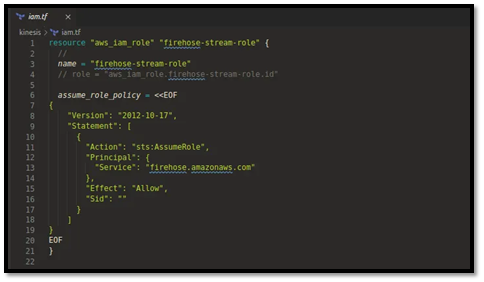
You’ll need an IAM role that Firehose assumes:
data "aws_iam_policy_document" "firehose_assume_role" {
  statement {
    actions = ["sts:AssumeRole"]

    principals {
      type        = "Service"
      identifiers = ["firehose.amazonaws.com"]
    }
  }
}

resource "aws_iam_role" "firehose_role" {
  name               = "${var.project_name}-${var.environment}-firehose-role"
  assume_role_policy = data.aws_iam_policy_document.firehose_assume_role.json
}
Attach a basic policy (simplified for brevity):
data "aws_iam_policy_document" "firehose_policy" {
  statement {
    actions = [
      "s3:AbortMultipartUpload",
      "s3:GetBucketLocation",
      "s3:GetObject",
      "s3:ListBucket",
      "s3:ListBucketMultipartUploads",
      "s3:PutObject"
    ]
    resources = [
      var.firehose_destination_s3_bucket_arn,
      "${var.firehose_destination_s3_bucket_arn}/*"
    ]
  }

  statement {
    actions = [
      "kinesis:DescribeStream",
      "kinesis:GetShardIterator",
      "kinesis:GetRecords",
      "kinesis:ListShards"
    ]
    resources = [aws_kinesis_stream.this.arn]
  }
}

resource "aws_iam_role_policy" "firehose_policy" {
  name   = "${var.project_name}-${var.environment}-firehose-policy"
  role   = aws_iam_role.firehose_role.id
  policy = data.aws_iam_policy_document.firehose_policy.json
}
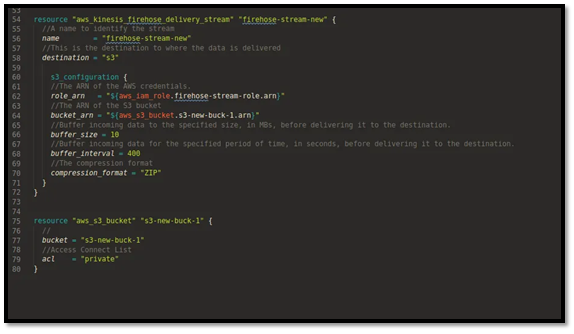
Now define the Firehose stream:
resource "aws_kinesis_firehose_delivery_stream" "this" {
  name        = "${var.project_name}-${var.environment}-firehose"
  destination = "extended_s3"  # maps to S3 in most docs [web:843]

  kinesis_source_configuration {
    kinesis_stream_arn = aws_kinesis_stream.this.arn
    role_arn           = aws_iam_role.firehose_role.arn
  }

  extended_s3_configuration {
    role_arn   = aws_iam_role.firehose_role.arn
    bucket_arn = var.firehose_destination_s3_bucket_arn

    buffering_interval = 60
    buffering_size     = 5

    compression_format = "GZIP"
  }

  tags = merge(
    {
      Name        = "${var.project_name}-${var.environment}-firehose"
      Environment = var.environment
    },
    var.tags
  )
} 
Creating the SQS Queue
Now define an SQS queue to buffer downstream processing.
resource "aws_sqs_queue" "this" {
  name = var.sqs_fifo
    ? "${var.project_name}-${var.environment}.fifo"
    : "${var.project_name}-${var.environment}"

  fifo_queue                  = var.sqs_fifo
  visibility_timeout_seconds  = var.sqs_visibility_timeout
  message_retention_seconds   = 345600 # 4 days

  tags = merge(
    {
      Name        = "${var.project_name}-${var.environment}-queue"
      Environment = var.environment
    },
    var.tags
  )
}
For advanced setups, you might also add:
A dead-letter queue
An access policy restricting producers/consumers by IAM or IP
Exporting Outputs (outputs.tf)
Expose useful identifiers to whatever calls the module:
output "kinesis_stream_name" {
  value       = aws_kinesis_stream.this.name
  description = "Name of the Kinesis data stream."
}

output "kinesis_stream_arn" {
  value       = aws_kinesis_stream.this.arn
  description = "ARN of the Kinesis data stream."
}

output "firehose_name" {
  value       = aws_kinesis_firehose_delivery_stream.this.name
  description = "Name of the Firehose delivery stream."
}

output "firehose_arn" {
  value       = aws_kinesis_firehose_delivery_stream.this.arn
  description = "ARN of the Firehose delivery stream."
}

output "sqs_queue_url" {
  value       = aws_sqs_queue.this.id
  description = "URL of the SQS queue."
}

output "sqs_queue_arn" {
  value       = aws_sqs_queue.this.arn
  description = "ARN of the SQS queue."
} 
Using the Module in a Root Configuration
In your root main.tf, wire everything together:
provider "aws" {
  region = "us-east-1"
}

resource "aws_s3_bucket" "logs" {
  bucket = "my-streaming-logs-bucket"
}

module "streaming_stack" {
  source = "./modules/streaming"

  project_name        = "orders"
  environment         = "dev"
  kinesis_shard_count = 1

  firehose_destination_s3_bucket_arn = aws_s3_bucket.logs.arn

  sqs_fifo                = false
  sqs_visibility_timeout  = 45

  tags = {
    Owner = "data-platform"
  }
}
Then:
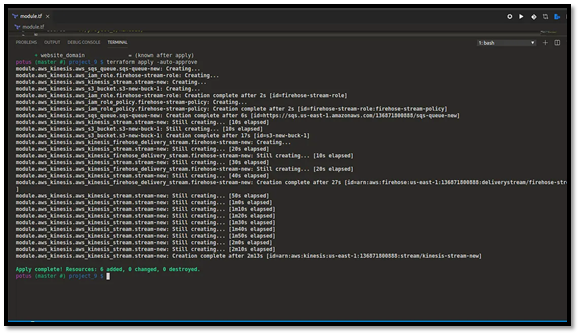
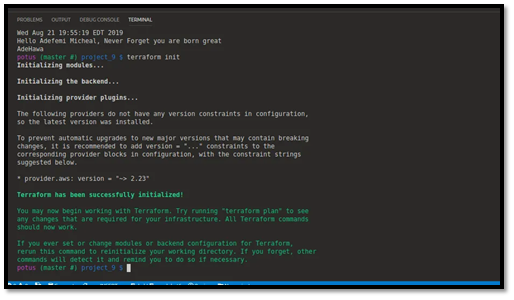
terraform init
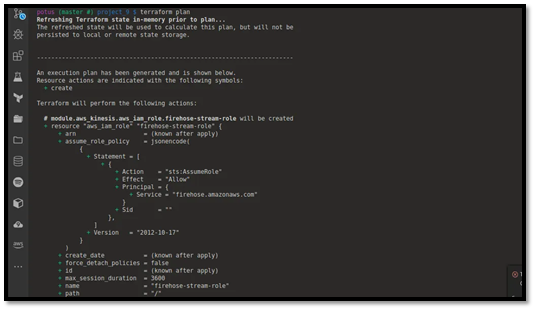
terraform plan
terraform apply
You now have a full streaming stack that can be reused across environments and projects.
Best Practices and Next Steps
A few best practices when working with Kinesis, Firehose, and SQS in Terraform:
Enable encryption at rest for Kinesis and Firehose using KMS where required.
Use modules from the Terraform Registry or GitHub as references for advanced patterns such as dynamic partitioning or multi-destination streams.
Add alarms and logging (CloudWatch metrics, log groups) around your stream and queue to monitor throughput and errors.
From here, you can extend the module to:
Add Lambda consumers for SQS
Forward Firehose data to destinations like Redshift, OpenSearch, or Snowflake.
Introduce dead-letter queues and stricter queue policies for production-grade reliability.