NetSuite and Power BI Integration Services

Visualize your NetSuite Data in Power BI to provide real-time, actionable business intelligence and reporting capabilities. NetSuite is your system of record. Power BI is your BI and analytics engine. Versich Integrates both Power BI and NetSuite securely, reliably, and at scale so finance, operations, and leadership can make faster, data-driven decisions with confidence.

NetSuite and Power BI Integration Services

What is NetSuite

NetSuite is a leading cloud-based Enterprise Resource Planning (ERP) system that integrates core business functions like finance, inventory, CRM, and e-commerce into a single platform, helping companies manage operations, automate processes, and gain real-time visibility for better decision-making. NetSuite offers a suite of applications that help businesses manage core processes including. Power BI Key features include.

Financial Management

Financial Management

General ledger, AP/AR, billing, revenue recognition, fixed assets

Order & Inventory Management

Order & Inventory Management

Order-to-cash, procurement, inventory, demand planning

Customer Relationship Management (CRM)

Customer Relationship Management (CRM)

Sales force automation, customer support, marketing

Projects

Projects

Project accounting, time & expense, resource management

Human Resources

Human Resources

Payroll, expenses, workforce management

Manufacturing & WMS

Manufacturing & WMS

Production, shop floor control, warehouse management

Planning & Budgeting

Planning & Budgeting

Forecasting, budgeting, scenario modeling

Analytics & Reporting

Analytics & Reporting

Real-time dashboards, saved searches, KPIs

What is Power BI

Microsoft Power BI is the world's most popular business intelligence tool. It helps users connect to, visualize, and analyze data from various sources, transforming it into interactive reports and dashboards for actionable insights, making data accessible for better business decisions. It combines data from different places, cleans it, models it, and presents it visually using charts, graphs, and maps, often leveraging AI for automated insights.

Data Integration

Data Integration

Connecting to various data sources. Power BI connects to over 100 sources, including Excel, databases, and ERP systems like NetSuite

Data Visualization

Data Visualization

Creating interactive graphs and charts. Power BI has drag-and-drop interface for creating rich, visual reports

Data Modeling

Data Modeling

Power BI hosts the capabilities for unlimited joins to facilitate the same sequential flow of transactions in your ERP system, meaning you can unlock key segments of information for end-to-end processes

Insights and Analysis

Insights and Analysis

Utilizing advanced analytics tools to derive insights from data as well as automatic refreshes to keep data up-to-date automatically

AI Features

AI Features

Power BI Includes AI insights, text analytics, image recognition, and quick insight

Scalability

Scalability

For small businesses and large enterprises, Power BI is a scalable solution. It grows with your business without any infrastructure worries and performs consistently regardless of data volume or user count

Here's why businesses choose <span class='accent-keyword'>Power BI</span>

Here's why businesses choose Power BI

According to Microsoft, 95% of Fortune 500 companies rely on Power BI for its robust capabilities

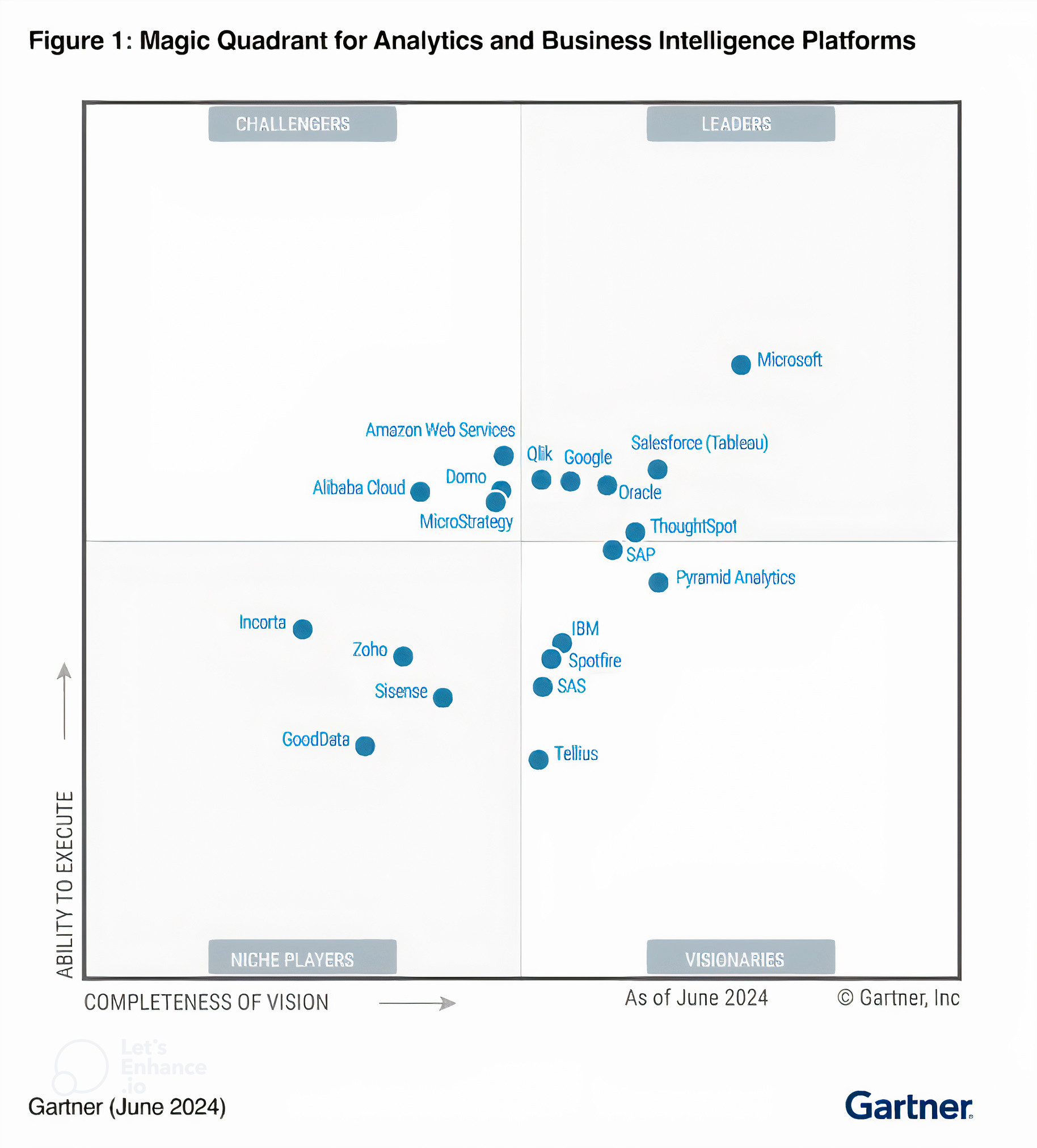
Gartner consistently ranks Power BI as a #1 leader in the BI and analytics market

What is <span class='accent-keyword'>NetSuite Power BI Integration</span>

What is NetSuite Power BI Integration

NetSuite Power BI integration is the process of securely connecting Oracle NetSuite data with Microsoft Power BI to enable advanced reporting, analytics, and decision-making beyond native NetSuite reporting capabilities.
It allows organizations to extract financial and operational data from NetSuite, model it correctly, and visualize it in Power BI dashboards that are fast, scalable, and finance-grade.

What is <span class='accent-keyword'>NetSuite Power BI Integration</span>

Why Companies Integrate NetSuite with Power BI

NetSuite is designed for transaction processing. Power BI is designed for analytics. By integrating Power BI and NetSuite, businesses can.

<strong>Analyze large NetSuite datasets</strong> without performance issues

Analyze large NetSuite datasets without performance issues

<strong>Build consolidated reporting</strong> across subsidiaries and currencies

Build consolidated reporting across subsidiaries and currencies

<strong>Perform advanced FP&A analysis</strong> (Budget vs Actuals, Forecasting)

Perform advanced FP&A analysis (Budget vs Actuals, Forecasting)

<strong>Automate reporting</strong> without manual CSV exports

Automate reporting without manual CSV exports

<strong>Deliver executive dashboards</strong> with drill-down and self-service analytics

Deliver executive dashboards with drill-down and self-service analytics

Advantages of NetSuite Power BI Integration

NetSuite Power BI integrations give organization a centralized way to connect, model, slice, dice and visualize data from just about any source which provide access to insights, business intelligence, flexible reporting and support for real-time decision-making at an enterprise level. Here are advantages of connecting NetSuite and Power BI.

Advanced analytics and data modeling

Advanced analytics and data modeling

Power BI extends NetSuite's reporting by enabling complex calculations, custom measures, and multi-table data models that are difficult or impossible to achieve with saved searches alone. This allows finance and operations teams to analyze trends, drivers, and performance metrics in far greater depth. The result is more accurate insights that support strategic and operational decision-making.

Unified reporting across systems

Unified reporting across systems

NetSuite data can be combined with information from CRM, billing platforms, payroll systems, WMS, and other third-party applications within Power BI. This creates a single, consistent reporting layer instead of siloed system-specific reports hence allowing stakeholders to gain a holistic view of business performance across finance, sales, and operations.

Improved financial reporting and FP&A

Improved financial reporting and FP&A

Power BI supports consolidated financial reporting, multi-subsidiary analysis, FX translation, and budget vs actual comparisons using NetSuite as the system of record. FP&A teams can build flexible forecasts, variance analyses, and management reports without rebuilding NetSuite reports each month. This significantly shortens reporting cycles and improves planning accuracy.

Reduced manual reporting effort

Reduced manual reporting effort

Automated data refreshes remove the need for manual CSV exports and Excel-based report manipulation. This reduces the risk of errors, broken formulas, and inconsistent versions of the same report. Finance and systems teams can spend more time analyzing data rather than preparing it.

Scalable, executive-ready dashboards

Scalable, executive-ready dashboards

Power BI delivers interactive, visually clear dashboards designed for executives and operational leaders. Users can drill from high-level KPIs down to transaction-level NetSuite data when required. This improves transparency, accountability, and confidence in data-driven decisions across the organization.

How to Connect NetSuite with Power BI

There are multiple ways to connect NetSuite to Power BI, depending on your business's needs, resource availability and the level of customization desired. Here's an overview of the 3 most common integration methods.

Methods of Integration (I, ii, iii)

1. SuiteAnalytics Connect

You can integrate NetSuite with Power BI using SuiteAnalytics Connect. SuiteAnalytics Connect is an addon provided by Oracle that supports ODBC connection. If not already enabled in your NetSuite environment, it can be purchased for $499 per month.

Steps to connect Power BI to NetSuite Using SuiteAnalytics Connect

Here's the link to Oracle doc for SuiteAnalytics Connect. Below are the summarized steps.

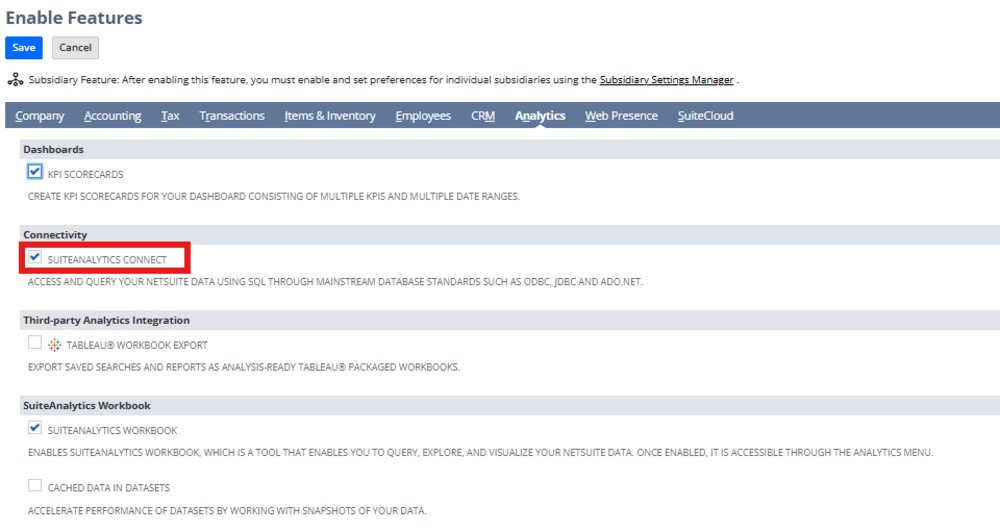
Step 1. Purchase and Enable the SuiteAnalytics Connect Feature

  • Ensure that your Account Administrator has enabled your Account and Role with the Connect Service feature
  • Go to Setup > Company > Enable Features
  • Click the Analytics subtab
  • Check the SuiteAnalytics Connect box
Step 1. <span class='accent-keyword'>Purchase and Enable</span> the SuiteAnalytics Connect Feature

Download ODBC Driver. Download and install the ODBC driver provided by SuiteAnalytics Connect.

Step 2. Configure ODBC Data Source

  • Set Up ODBC DSN: Use the ODBC Data Source Administrator to create a new Data Source Name (DSN) with your NetSuite credentials.
  • Enter Credentials: Provide the necessary credentials, including your NetSuite account ID, user credentials, and role ID.

Step 3. Connect to NetSuite in Power BI

  • Open Power BI: Launch Power BI Desktop.
  • Get Data: Go to Home > Get Data > ODBC.
  • Select DSN: Choose the DSN you configured earlier.
  • Load Data: Preview and load the data into Power BI.

2. Third Party Connectors

Integrating NetSuite with Power BI is also achievable through third-party connectors. Some popular ones are.

Why Choose Versich for your NetSuite Power BI Integration Needs?

We stand apart through our deep NetSuite and Power BI expertise, structured integration approach, and commitment to delivering finance-grade reporting solutions. Our consultants are more than technical implementers. They are integration partners who align data architecture with business outcomes to accelerate decision-making and reporting maturity.

Integration Approach Advisory

Integration Approach Advisory

We assess your reporting, data volume, security, and real-time requirements, then guide you in selecting the most appropriate NetSuite Power BI integration method (native, connector-based, or warehouse-driven).

End-to-end Integration Setup

End-to-end Integration Setup

We handle the full technical setup, including authentication, data extraction, refresh schedules, and performance optimisation, ensuring a stable and scalable connection between NetSuite and Power BI.

NetSuite-first Data Modelling

NetSuite-first Data Modelling

Our team designs finance-grade data models aligned to NetSuite structures (subsidiaries, segments, periods, currencies), ensuring accuracy, consistency, and audit-ready reporting.

Advanced Power BI Dashboards

Advanced Power BI Dashboards

We build executive, finance, and operational dashboards in Power BI that turn NetSuite data into actionable insights using advanced DAX, drill-downs, and role-based views.

Real-world NetSuite Expertise

Real-world NetSuite Expertise

We bring hands-on experience across NetSuite ERP, ARM, multi-entity accounting, and integrations, allowing us to anticipate edge cases and avoid common reporting pitfalls.

Scalable and Future-proof Architecture

Scalable and Future-proof Architecture

Our NetSuite and Power BI solutions are designed to grow with your business, supporting additional data sources, increased transaction volumes, and more complex analytics over time.

Ongoing Support and Optimisation

Ongoing Support and Optimisation

Beyond initial delivery, we provide continuous NetSuite and Power BI support, improvement, performance tuning, and enhancements as your reporting needs evolve.

Some Portfolio of Power BI dashboard with NetSuite Data

Here are some samples of Power BI dashboards we've built for clients utilizing NetSuite data.

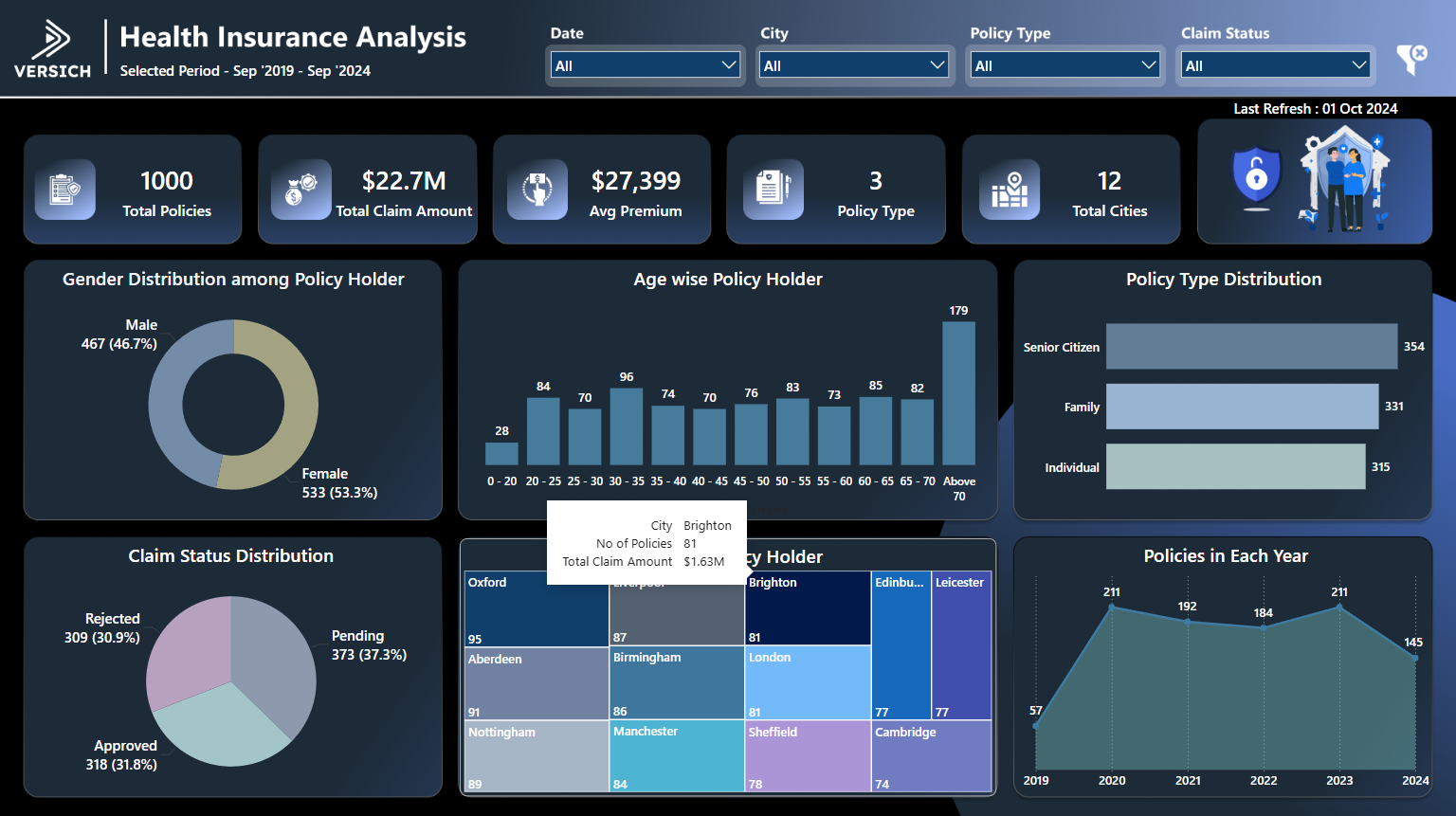
Health Insurance Analysis

The "Health Insurance Analysis" Power BI project provides comprehensive insights into health insurance data, aiding in policy evaluation and risk assessment.
health insurance analysis

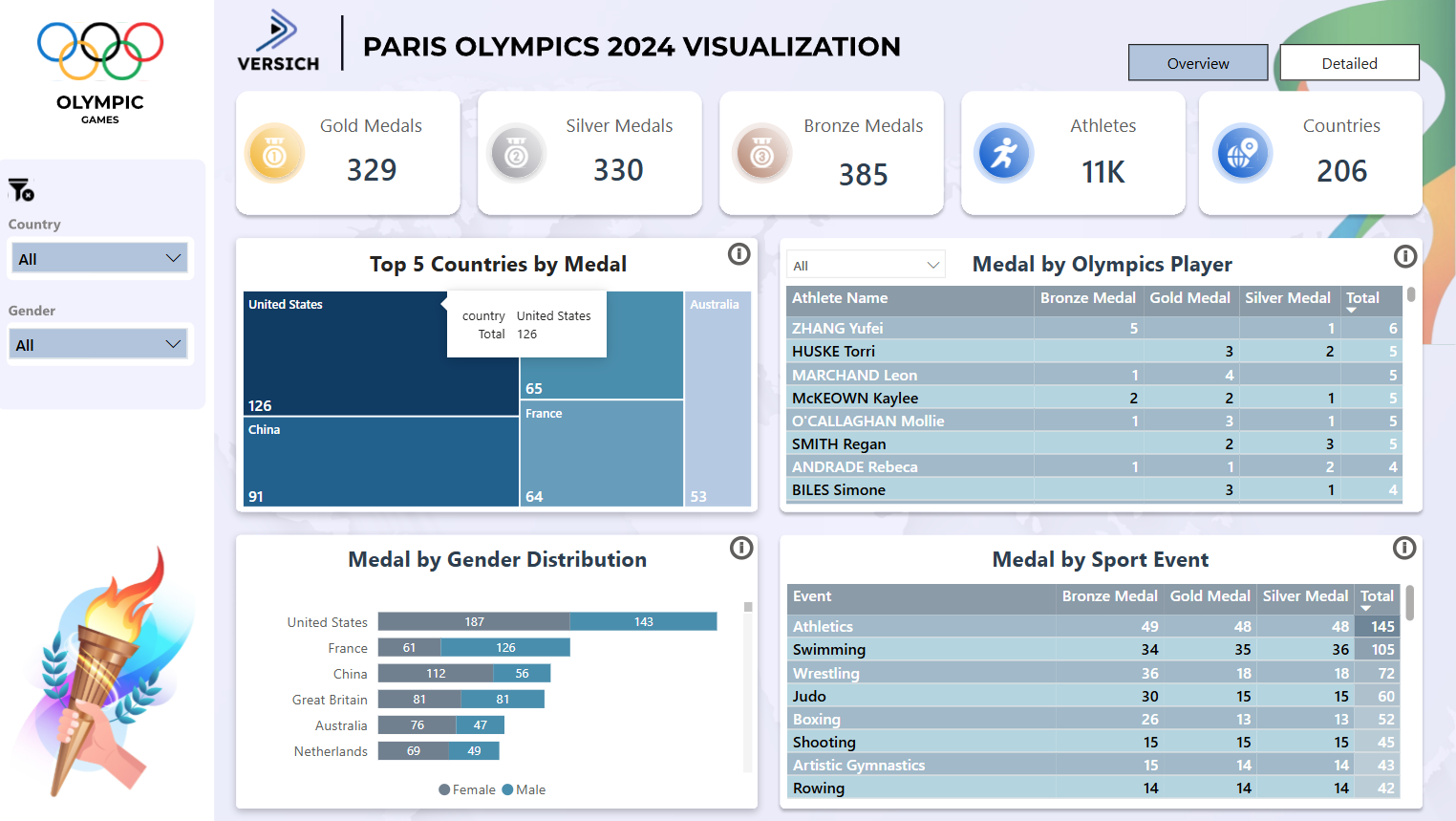
Paris Olympics 2024

The Paris Olympics 2024 provides comprehensive analytics and visualizations of Olympic data showing country and athletes performance at the Paris 2024 olympics games. It is an Interactive dashboard, feel free to play with it
paris olympics 2024

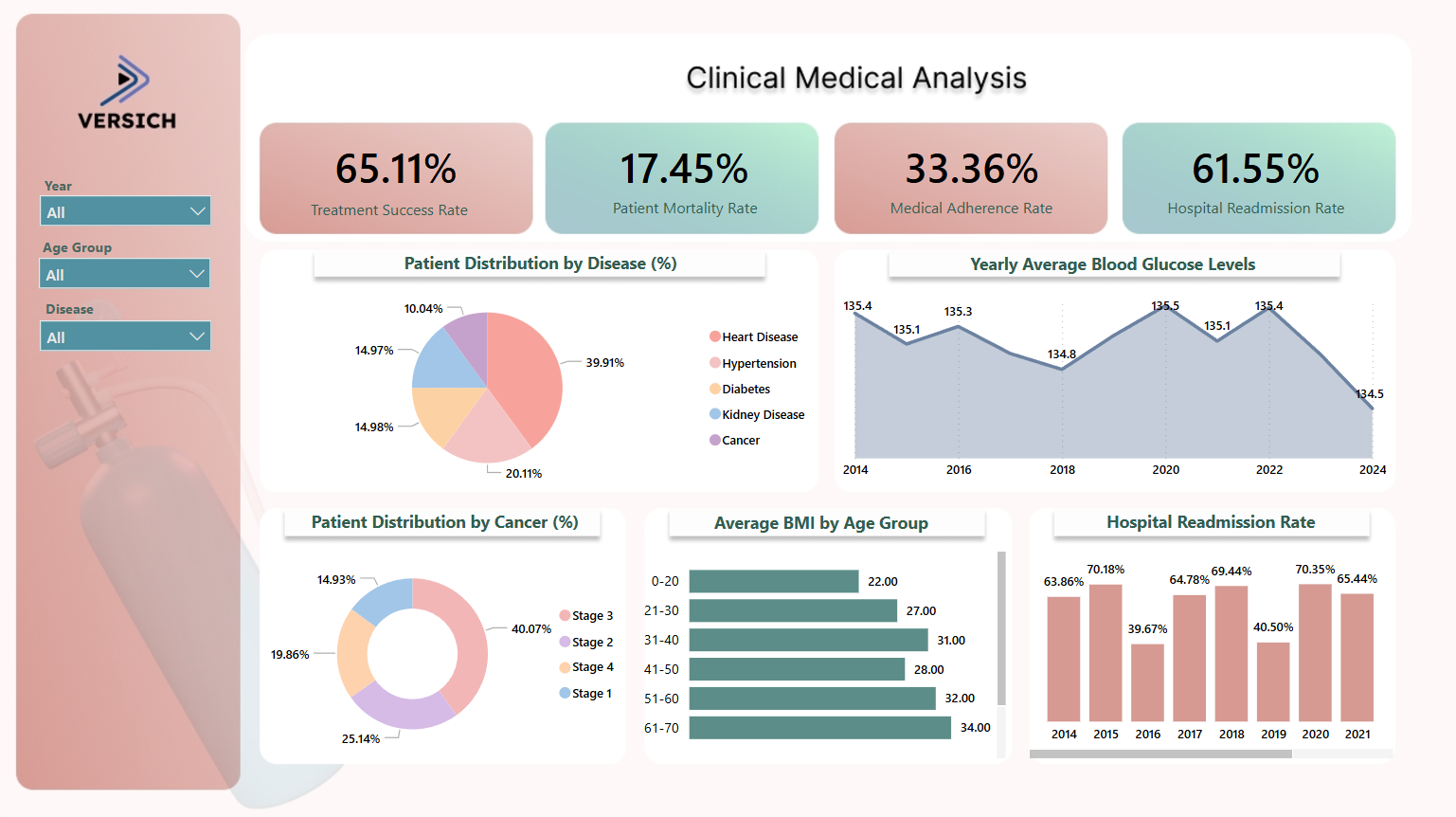
Clinical Medical Analysis

The "Clinical Medical Analysis" Power BI project offers detailed insights into clinical data, enhancing medical research and patient care decisions.
clinical medical analysis

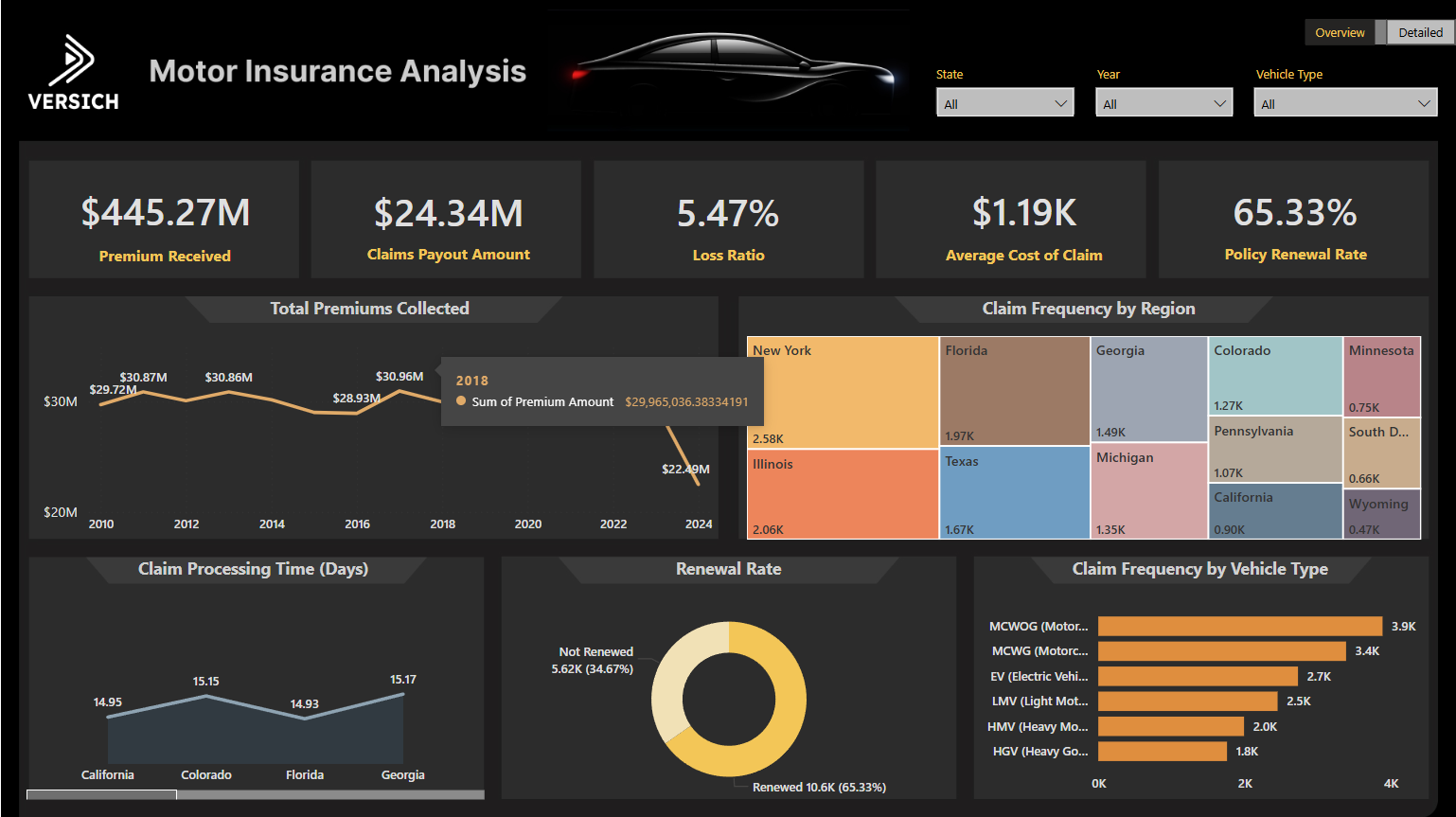
Motor Insurance

The "Motor Insurance" Power BI project provides in-depth analysis of insurance claims and policy metrics, enhancing decision-making for insurers.
motor insurance

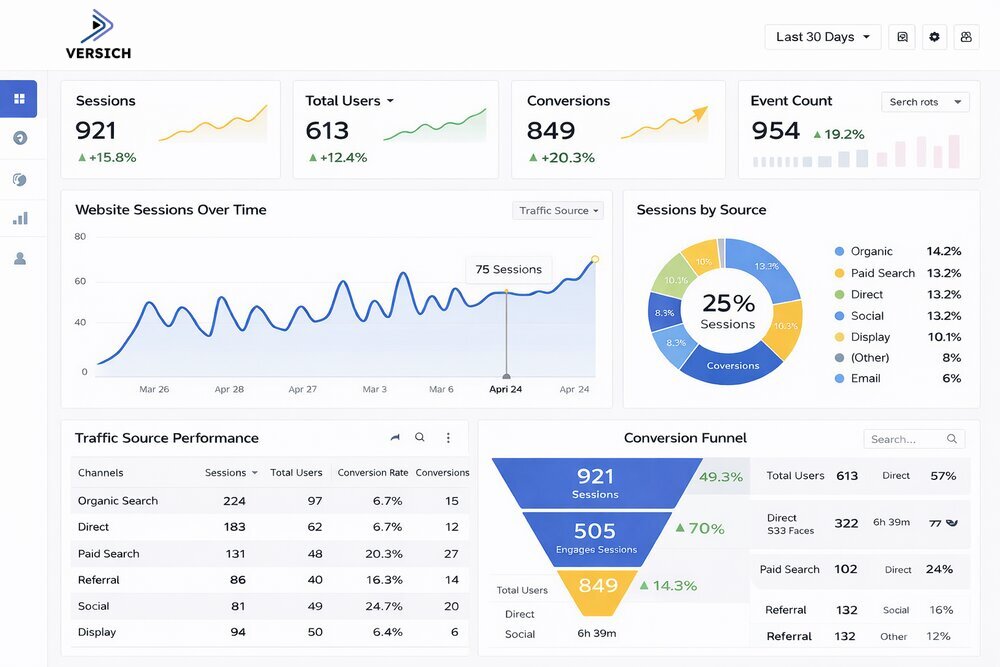
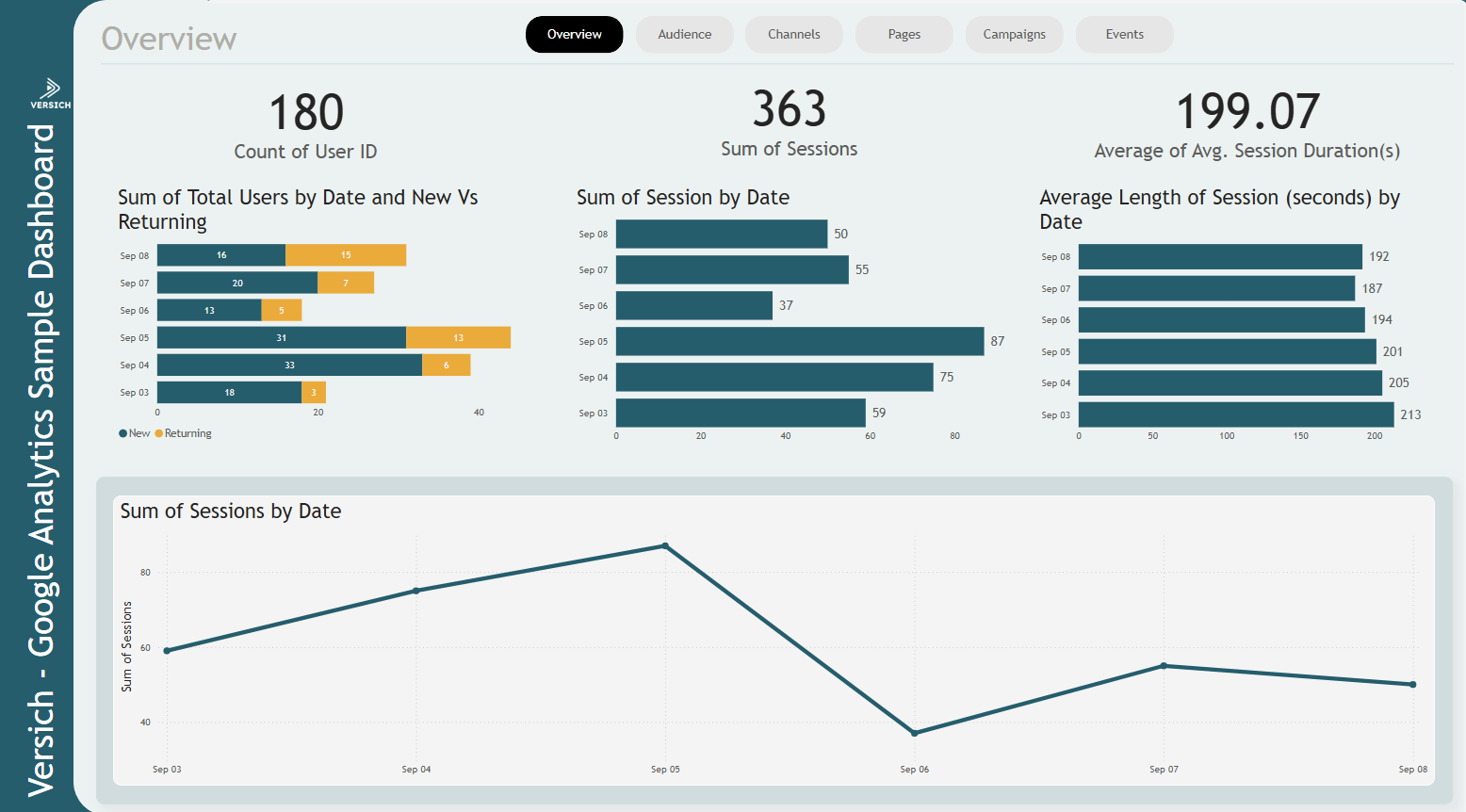
Google Analytics

The "Google Analytics" Power BI project provides insightful analysis of web traffic data, empowering data-driven marketing and business strategies.
google analytics

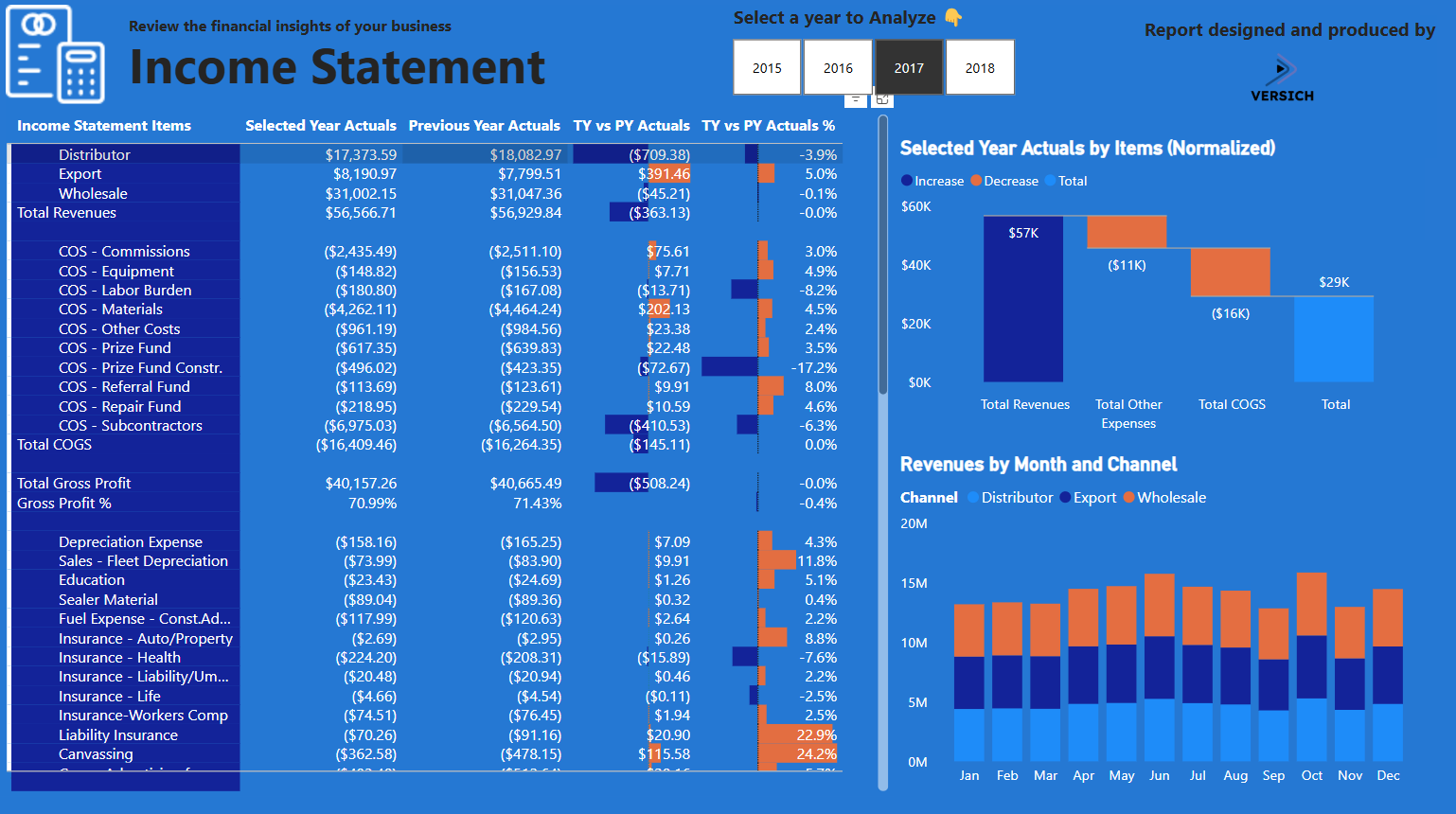
Income Statement

The "Income Statement" Power BI project offers comprehensive financial analysis and visualizes key income metrics for business performance evaluation.
income statement

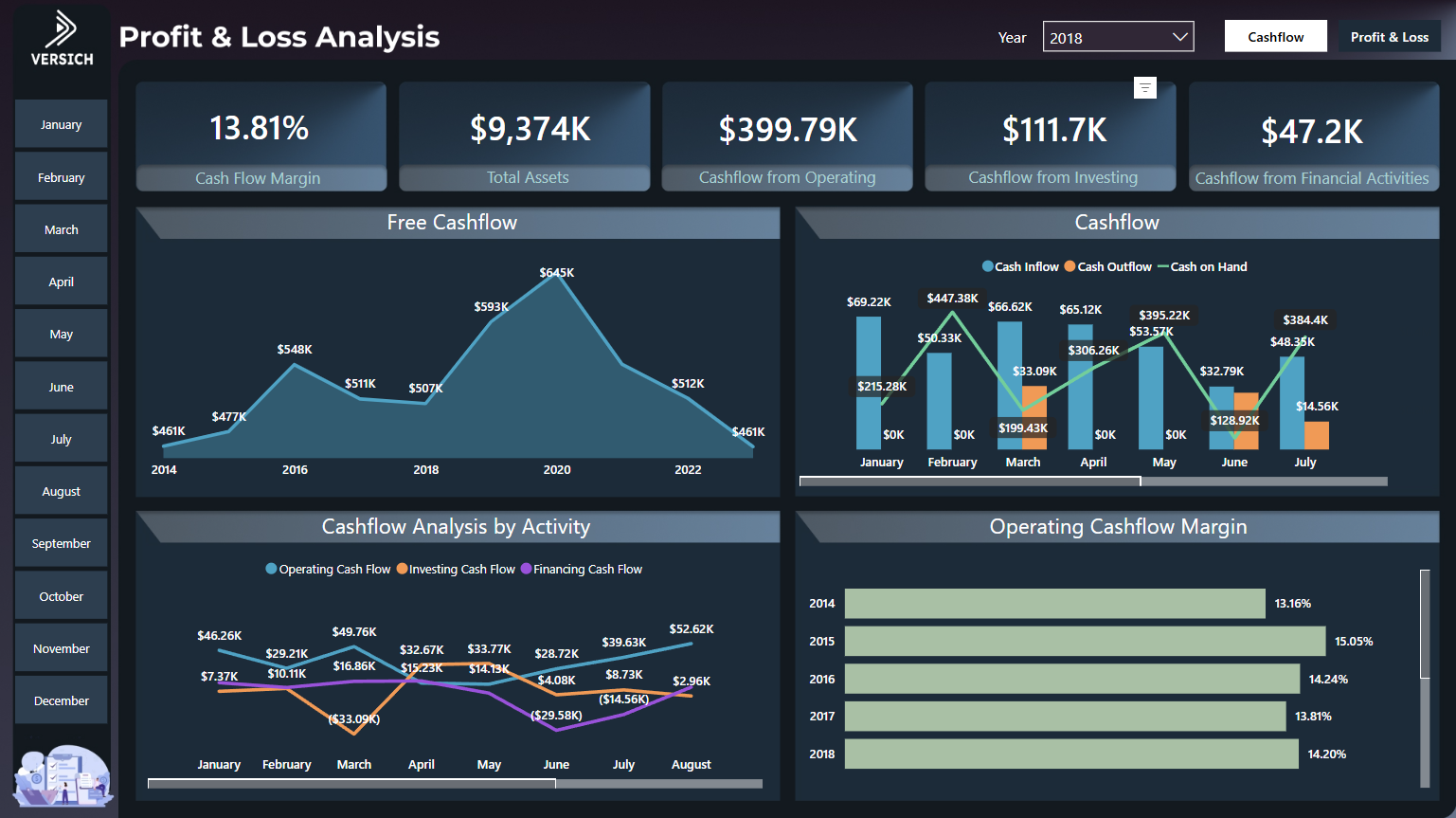
Cashflow and Profit & Loss Analysis

The "Cashflow and Profit & Loss Analysis" Power BI project provides an in-depth financial overview, helping users monitor cashflow and profitability metrics effectively.
cashflow and profit & loss analysis

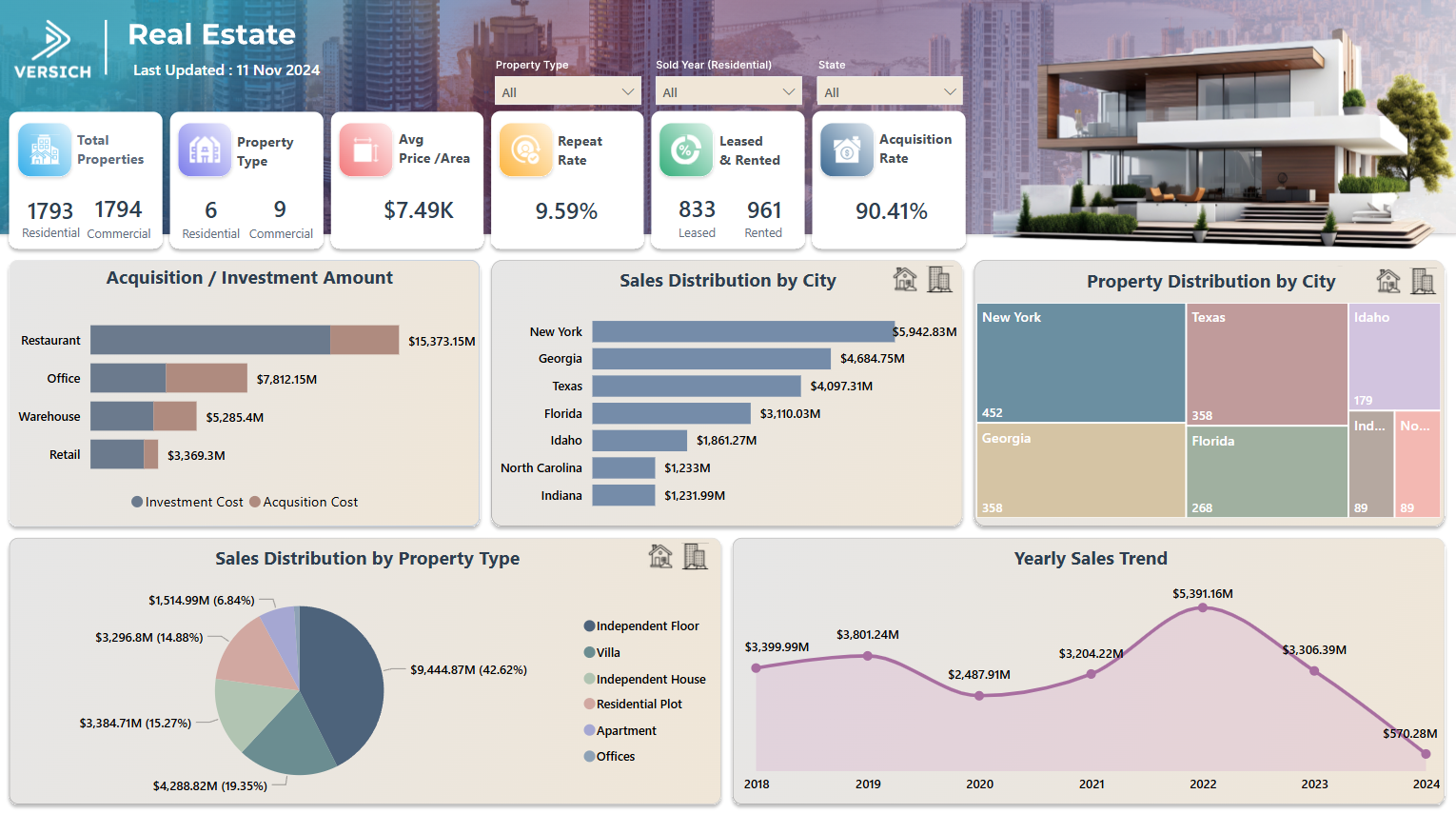
Real Estate Analysis

The "Real Estate Analysis" Power BI project provides detailed insights into property market trends and financial performance for informed real estate decision-making.
real estate analysis

Ready to create your NetSuite Power BI Dashboard

Ready to create a powerful NetSuite Power BI dashboard that turns your ERP data into clear, actionable insights? Versich helps you design, integrate, and optimise finance-grade dashboards tailored to your business, from real-time reporting to executive-level analytics.

What Our Clients Say About Our NetSuite Power BI Integration Services

Frequently Asked Questions

Does NetSuite support Power BI?

Yes. NetSuite can be integrated with Power BI using native options such as SuiteAnalytics Connect, as well as third-party connectors like CData and ZoneReporting. These tools extract and structure NetSuite data so it can be analysed and visualised effectively in Power BI.

What is the best way to connect Power BI to NetSuite?

The most effective approach is to use connectors purpose-built for NetSuite reporting. While SuiteAnalytics Connect is a native option, it is ODBC-based and often requires significant manual setup and maintenance. As a result, many organisations prefer third-party solutions such as ZoneReporting or Zone Data Warehouse, which are designed specifically for Power BI and provide a more automated, scalable, and reporting-friendly architecture.

Can Versich help connect Power BI to NetSuite?

Yes. Versich supports the full NetSuite–Power BI integration lifecycle, from assessing your reporting requirements and selecting the right integration approach to implementation, optimisation, and ongoing support.

How can Versich help with my NetSuite Power BI integration needs?

We design and implement finance-grade data models, set up secure and performant integrations, and build tailored Power BI dashboards that align with NetSuite structures such as subsidiaries, segments, and accounting periods. Our focus is on accuracy, scalability, and decision-ready reporting.

Will I be able to view data across multiple business units or subsidiaries?

Yes. Power BI can consolidate data from multiple NetSuite subsidiaries and business units, enabling group-level reporting, entity-level drill-downs, and consolidated performance analysis across your organisation.

Can NetSuite be integrated with Power BI for free?

A basic integration is possible using the Web Query Report method, which does not require paid third-party tools. However, this approach is typically limited in scalability, automation, and data reliability, and is best suited for simple or proof-of-concept reporting rather than enterprise-grade analytics.