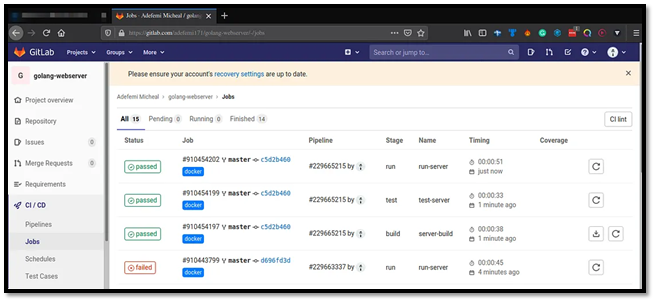
Welcome back! In Part 1, you set up an Azure VM, configured networking, installed Docker and Go, created a simple web server, registered a GitLab Runner, and built a basic CI pipeline. Now in Part 2, we'll level up:
Enhance the Go app with Docker containerization
Extend the GitLab pipeline with testing, building Docker images, and deployment
Deploy the containerized app to the Azure VM automatically
Add health checks and monitoring
Let's make your pipeline production-ready!
1. Enhancing the Go Web Server
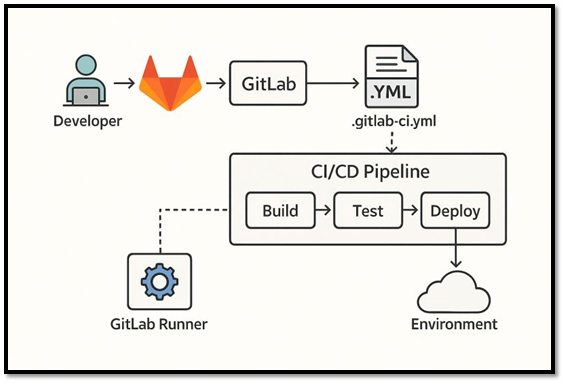
First, upgrade your Go app from a basic server to a multi-endpoint API with JSON responses and health checks.
Update ~/go-azure-app/main.go:
import (
"encoding/json"
"fmt"
"log"
"net/http"
"time"
)
type HealthResponse struct {
Status string `json:"status"`
Timestamp time.Time `json:"timestamp"`
Version string `json:"version"`
}
func healthHandler(w http.ResponseWriter, r *http.Request) {
response := HealthResponse{
Status: "healthy",
Timestamp: time.Now(),
Version: "1.0.0",
}
w.Header().Set("Content-Type", "application/json")
json.NewEncoder(w).Encode(response)
}
func helloHandler(w http.ResponseWriter, r *http.Request) {
fmt.Fprintln(w, "Hello from Go on Azure! 🚀")
fmt.Fprintf(w, "\nPipeline build successful via GitLab Runner!")
}
func main() {
http.HandleFunc("/health", healthHandler)
http.HandleFunc("/", helloHandler)
log.Println("🚀 Go server starting on :7000")
log.Println("Endpoints: / (hello), /health (JSON)")
if err := http.ListenAndServe(":7000", nil); err != nil {
log.Fatal(err)
}
}
Test locally on the VM:
go mod tidy
go run main.go
Visit http://<VM_IP>:7000 and http://<VM_IP>:7000/health to verify both endpoints work.
2. Creating a Dockerfile
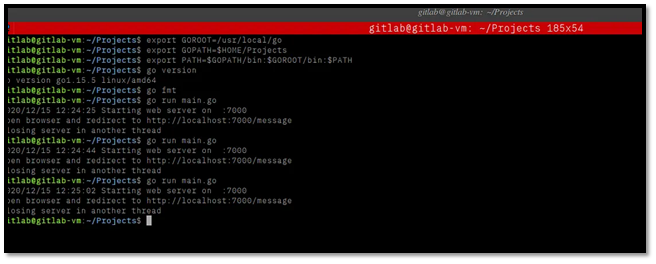
Containerize your Go app for consistent deployments.
Create ~/go-azure-app/Dockerfile:
FROM golang:1.22-alpine AS builder
WORKDIR /app
COPY go.mod go.sum ./
RUN go mod download
COPY . .
RUN CGO_ENABLED=0 GOOS=linux go build -o main .
# Runtime stage
FROM alpine:latest
RUN apk --no-cache add ca-certificates
WORKDIR /root/
COPY --from=builder /app/main .
USER 1000
EXPOSE 7000
HEALTHCHECK --interval=30s --timeout=3s --start-period=5s --retries=3 \
CMD wget --no-verbose --tries=1 --spider http://localhost:7000/health || exit 1
CMD ["./main"]
3. Extending the GitLab CI Pipeline
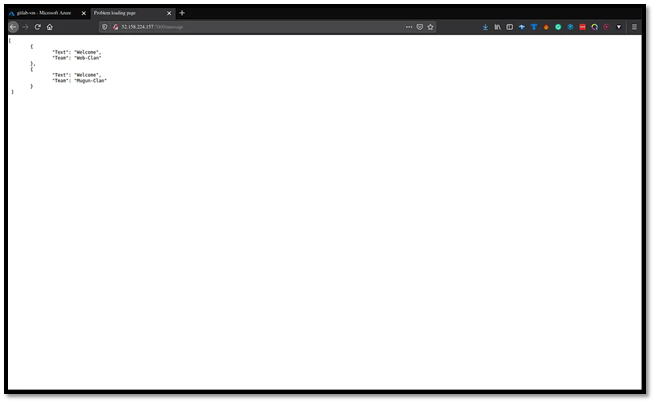
Update .gitlab-ci.yml to build Docker images, run integration tests, and deploy:
- test
- build
- deploy
variables:
GO_VERSION: "1.22"
APP_NAME: "go-azure-app"
DOCKER_IMAGE: "$CI_REGISTRY_IMAGE:$CI_COMMIT_SHA"
DOCKER_LATEST: "$CI_REGISTRY_IMAGE:latest"
# Unit tests
unit-test:
stage: test
image: golang:${GO_VERSION}-alpine
tags:
- go
- azure
script:
- go mod tidy
- go test ./... -v
cache:
paths:
- /go/pkg/mod
# Integration tests (spin up container and test endpoints)
integration-test:
stage: test
image: docker:25-git
services:
- docker:25-dind
tags:
- go
- azure
variables:
DOCKER_HOST: tcp://docker:2376
DOCKER_TLS_CERTDIR: ""
DOCKER_DRIVER: overlay2
script:
- docker build -t ${APP_NAME}:test .
- docker run -d -p 7000:7000 --name test-app ${APP_NAME}:test
- sleep 5
- docker exec test-app wget --spider -q http://localhost:7000/health || exit 1
- docker stop test-app && docker rm test-app
# Build and push Docker image
docker-build:
stage: build
image: docker:25-git
services:
- docker:25-dind
tags:
- go
- azure
variables:
DOCKER_HOST: tcp://docker:2376
DOCKER_TLS_CERTDIR: ""
script:
- docker login -u $CI_REGISTRY_USER -p $CI_REGISTRY_PASSWORD $CI_REGISTRY
- docker build -t $DOCKER_IMAGE .
- docker push $DOCKER_IMAGE
- docker tag $DOCKER_IMAGE $DOCKER_LATEST
- docker push $DOCKER_LATEST
only:
- main
# Deploy to Azure VM
deploy-azure-vm:
stage: deploy
image: alpine:latest
tags:
- go
- azure
before_script:
- apk add --no-cache openssh-client rsync
- eval $(ssh-agent -s)
- echo "$SSH_PRIVATE_KEY" | tr -d '\r' | ssh-add -
- mkdir -p ~/.ssh
- chmod 700 ~/.ssh
script:
- ssh -o StrictHostKeyChecking=no azureuser@$VM_IP "
docker pull $DOCKER_LATEST &&
docker stop $APP_NAME || true &&
docker rm $APP_NAME || true &&
docker run -d
--name $APP_NAME
-p 7000:7000
--restart unless-stopped
$DOCKER_LATEST"
only:
- main
environment:
name: production
url: http://$VM_IP:7000
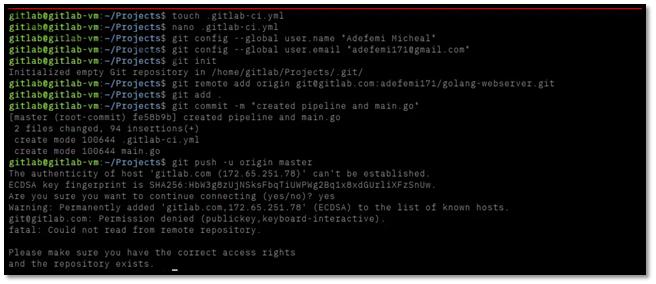
Key additions:
Integration tests verify that the Dockerized app works
Docker build/push to GitLab Container Registry
SSH deployment to your Azure VM
4. Setting Up Deployment Variables
Configure secure deployment in GitLab:
Go to Settings → CI/CD → Variables in your GitLab project
Add these protected variables:
SSH_PRIVATE_KEY: Your Azure VM private key (full PEM content)
VM_IP: Your Azure VM public IP address

5. Committing and Running the Pipeline
Push the updates:
git add main.go Dockerfile .gitlab-ci.yml
git commit -m "Add Docker support, integration tests, and VM deployment"
git push origin main
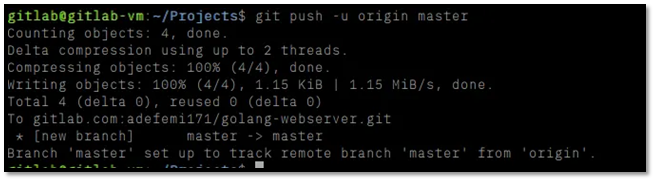
Watch the pipeline run in GitLab:
unit-test: Go unit tests pass
integration-test: Docker container spins up and health check passes
docker-build: Image builds and pushes to registry
deploy-azure-vm: App deploys to Azure VM
6. Verifying Production Deployment
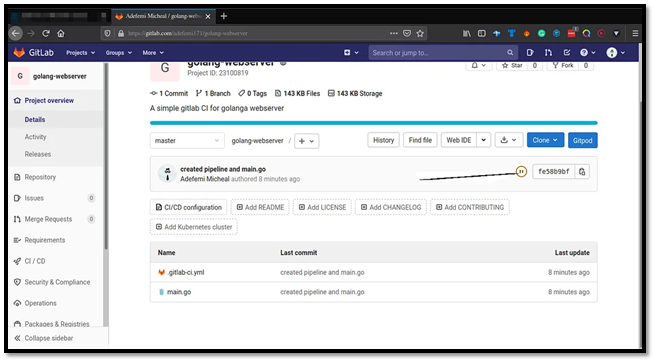
After successful deployment:
Visit http://<VM_IP>:7000 - should show updated hello message
Visit http://<VM_IP>:7000/health - should return JSON health response
Check container status: docker ps on VM
Test resilience: docker restart go-azure-app, then recheck endpoints
Production Monitoring Commands (run on VM):
docker logs -f go-azure-app
# Health status
curl http://localhost:7000/health
# Restart policy test
docker restart go-azure-app
7. Pipeline Status and Environments
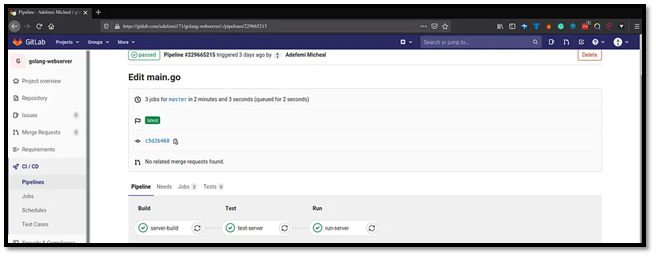
GitLab now tracks your production environment:
What You've Built in Part 2
- Enhanced Go API with JSON health endpoint
- Multi-stage Docker build (builder + runtime)
- Comprehensive GitLab pipeline: tests → build → deploy
- Zero-downtime deployment to Azure VM
- Production monitoring with health checks and restarts
- GitLab Container Registry integration
Your setup is now automatically:
Tests every code change
Builds optimized Docker images
Deploys to production on the main branch
Survives VM restarts and failures